A flagship phone should feel dependable on a busy weekday, not only impressive in a launch comparison. Product rankings based on user experience start with messages, payments, maps, photos, work apps, and calls.
This guide compares premium phones through daily friction: what interrupts you, what feels effortless, and what costs more after checkout. It suits people replacing an older device or changing platforms.
Start With the Moments That Actually Frustrate You
Think about your last phone problem: a map froze outdoors, a payment app opened slowly, the battery fell quickly, or the camera missed a moving child.
Those moments reveal real decision points better than a benchmark. Write down the tasks you repeat, then give them more weight than features you rarely open.
Decide How Much Power You Will Truly Use
Current premium phones manage messages, browsing, banking, video, and social apps comfortably. Extra performance matters more for gaming, video editing, frequent app switching, or work from a phone.
Some performance headroom helps after software updates, but the largest specification is not automatically useful. Buy for your busiest day, not a future habit you may never form.
Choose Storage Before a Tiny Camera Upgrade
Photos, offline media, backups, downloads, and system updates all compete for space. A good camera becomes annoying when you delete files before travel or family events.
Check usable capacity, cloud costs, and expansion options. For longer ownership, available storage may matter more than a minor camera improvement.
Let Your Existing Devices Narrow the Field
Your watch, laptop, earbuds, shared albums, messages, work apps, and smart-home devices all influence which phone feels easiest to own.
Treat ecosystem fit as a practical concern, not blind loyalty. A platform change can be worthwhile, but it should solve a clear ownership problem rather than follow a launch cycle.
iPhone 17 Can Fit an Apple-Centred Routine
An iPhone 17 may suit a household already using Macs, AirPods, Apple Watch, FaceTime, or shared iCloud storage. The benefit is often fewer small handoffs between devices, not one dramatic feature.
Still compare local price, storage, repair options, and accessories. An Apple-centred routine may be convenient, but it should not outweigh your budget or an essential feature elsewhere.
Pixel 10 Offers a Different Android Starting Point
A Google Pixel 10 may appeal if you rely on Google Photos, Gmail, Maps, and a straightforward Android approach.
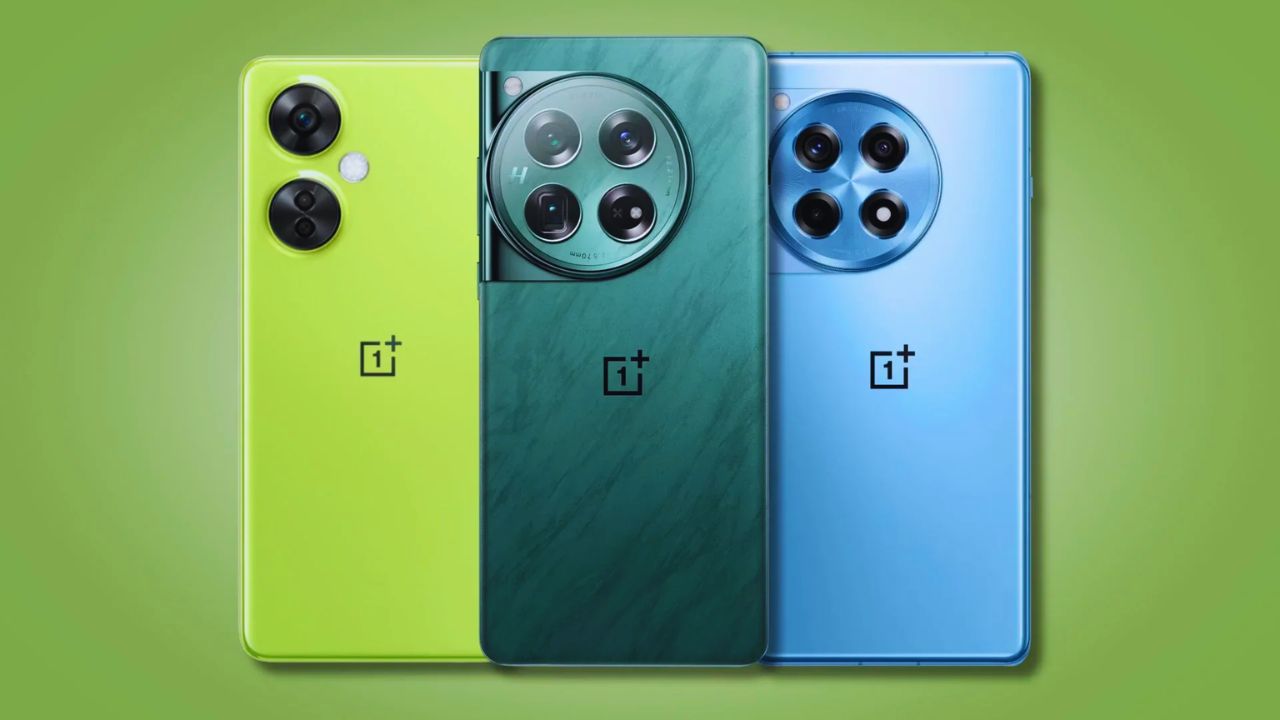
Compare it with Samsung’s Galaxy S26 range or OnePlus 15 only after naming your priorities: screen size, camera behaviour, charging, settings, or support. Android is not one experience.
Test the interface habits you use most and check the exact support policy for your model.
Test the Interactions You Repeat All Day
A phone can be powerful yet tiring because the keyboard misses taps, the brightness shifts poorly, or one-handed use is awkward. Hold it, unlock it, type a longer message, open the camera, and reach the top controls.
These tiny actions expose physical comfort and interaction flow better than a comparison table. A brief store visit can still reveal a size or weight problem.
Battery Is About Your Routine, Not One Claim
Battery life changes with signal strength, brightness, navigation, gaming, cameras, background apps, and how often you use data.
Think about your longest ordinary day, then check how quickly the phone recovers when you can charge. The right balance is all-day confidence and charging convenience, not one promise that applies equally to every user.
Also Read: Best Products Ranked for Cost Efficiency
Check What Happens When Storage Starts Filling Up
Phones feel quick when new because space is free and fewer apps compete in the background. Later, downloads, photos, cached media, accounts, and updates can make smaller capacities restrictive.
Review backup settings, file transfers, and cloud costs. That is where long-term smoothness meets digital clutter, not where a launch video tells the story.
Treat the Camera as a Tool, Not a Score
A camera matters most when it captures something you cannot repeat: a receipt, document, pet, child, dinner, or video call. Megapixels do not show whether it focuses quickly, handles movement, or produces a shareable image without editing.
Look for real sample photos taken in conditions like yours. Then decide whether camera reliability matters more than distant zoom or manual controls.
Low-Light Photos Depend on Movement
Many phones can brighten a still night scene, but motion changes the result. A building is easier than a pet, child, or busy street.
Check shutter response, camera opening speed, and indoor video quality. This reveals everyday photo use better than dramatic adverts and keeps low-light expectations realistic.
A Bright Screen Matters Outside
Screen quality affects maps, boarding passes, messages, and photos in sunlight, not only video streaming.
Compare brightness, glare, scrolling comfort, and how the display feels after a longer reading session. These details shape outdoor readability and eye comfort more than a technical label alone.
Support and Repairs Are Part of the Price
Updates affect security, app compatibility, and how long a phone remains pleasant to use. Check the published commitment for the exact model and region, rather than a broad statement about the brand.
Also consider preinstalled apps and notification controls. A cleaner setup protects available space and reduces notification fatigue.
Local Repairs Can Change the Better Deal
A premium phone becomes costly when a screen, battery, port, or camera fails outside warranty. Check authorised service nearby, likely repair pricing, parts availability, and accidental-damage coverage.
A lower-priced model is not automatically cheaper if repair is difficult. Put local repair access beside warranty conditions when you compare the final choices.
Use a Short Final Check Before Paying
Narrow the list to two or three phones once you know your platform, storage, camera, and charging needs. Keep the final check tied to your real priorities and away from checkout pressure:
- Confirm model number, storage, network compatibility, and included charger.
- Compare price, trade-in rules, warranty, and return period.
- Test size, keyboard, camera speed, and screen visibility.
Choose the Phone You Will Still Like Next Year
The right phone will not win every category. It should fit your hand, services, budget, and the moments when you depend on it most.
Before paying, check the exact version and support details that apply locally. Let ordinary use decide, then give more weight to lasting comfort than a launch-week ranking.