
In busy studios and home offices, High-Value Monitors balance accurate color, solid ergonomics, and sensible pricing without chasing speculative specs. Buyers in the 27–34 inch range want screens that hold calibration, connect cleanly to modern laptops, and stay readable in mixed light.
Across 2026 lineups, IPS Black, OLED, and improved VA panels compete closely on perceived contrast and uniformity, while USB-C with charging and KVM features simplify desk setups.
Smart money goes to models that ship close to target out of the box, accept hardware calibration gracefully, and post credible update or warranty support rather than short-cycle gimmicks.
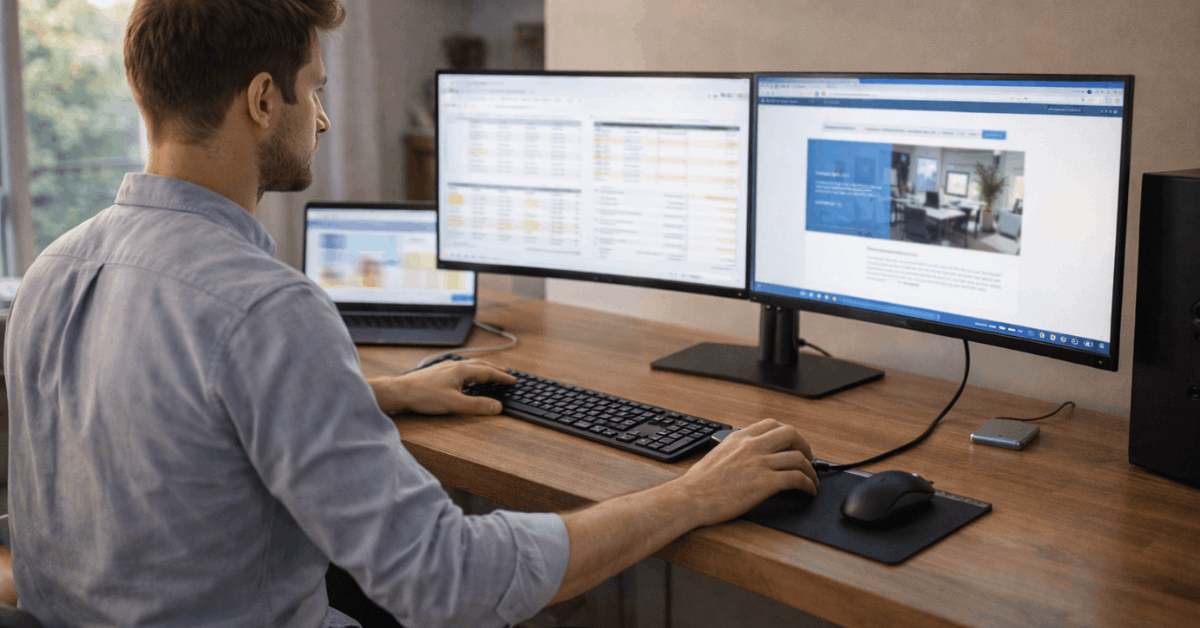
What High-Value Means In 2026
Value is not the cheapest tag, it is the best sustained result per dollar over several years. For 27–34 inch screens, that usually means factory modes that track sRGB and DCI-P3 cleanly, uniform backlights with minimal tinting, and stands that reach eye level without risers.
Long warranties reduce total cost of ownership when panels or power boards fail after heavy use. Creators and analysts both benefit when pixel density lands in the comfort zone for UI scaling.
A 27-inch 4K panel hits about 163 ppi and reads crisp at 150 percent scaling, while a 32-inch 4K sits near 140 ppi and often feels comfortable at 125 percent. Ultrawide 34-inch WQHD panels trade absolute sharpness for width, which suits timeline work and dual-app layouts if viewing distance reaches 70 to 80 centimeters.
Panel and Color Basics For Creators
Strong options now exist across IPS Black, standard IPS, VA, QD-OLED, and WOLED. IPS Black improves native contrast to roughly double that of standard IPS in many models, which deepens shadow separation for grading and print soft proofing.
VA panels deliver even higher static contrast, yet some units show off-axis color shift that complicates collaborative review at a desk.
OLED
OLED excels at per-pixel blacks and quick response, which helps color evaluation in dim suites and motion work.
Careful brightness management matters in bright rooms, since small-window highlights can look spectacular while full-screen whites step down under aggressive ABL behavior.
Mini-LED backlights push LCD HDR well when local dimming zones are plentiful and tuned to avoid halos around UI elements.
Factory Color Modes
Factory color modes should list the target gamma and white point clearly. sRGB mode belongs to web delivery and office work, while DCI-P3 suits modern phones and streaming ecosystems.
Accurate Rec.709 remains essential for video destined for SDR platforms. When panels allow 3D LUTs or at least internal two-point and six-axis controls, calibration holds better between firmware changes.
Price Tiers and Typical Specs For 27–34 Inch
Short, realistic bands make it easier to set expectations before testing store demos or pulling lab reports.
| Tier | Typical Price (USD) | Resolution And Panel | Color Targets | Core Connectivity | Who It Suits |
| Value | 250–399 | 27″ 1440p IPS or 32″ 4K VA | Solid sRGB, basic P3 | HDMI, DisplayPort, USB-C 65 W sometimes | Students, home offices, budget 4K monitor seekers |
| Mid | 400–699 | 27″ 4K IPS or 34″ WQHD IPS | Full sRGB, wide P3 modes | USB-C 90–100 W, hub, DP, HDMI | Mixed work, light grading, dual-app ultrawide layouts |
| Creator | 700–1199 | 27–32″ 4K IPS Black or Mini-LED | Tight sRGB and P3, uniformity options | USB-C or TB4, KVM, card-reader sometimes | Best monitors for photo editing, content teams |
| Gaming-Creator | 700–1299 | 27″ 1440p 240 Hz QD-OLED or 32″ 4K 120–240 Hz | Wide gamut with good sRGB clamp | DP 1.4/2.0, HDMI 2.1, USB hub | Hybrid play and grade, motion graphics |
| Ultrawide Pro | 800–1499 | 34″ WQHD or 5K2K IPS Black | Broad P3, good sRGB clamp | Dual USB-C with charging, KVM | Timeline apps, conference and build-out hubs |
Color Accuracy Checklist
Short verification steps prevent buyer’s remorse and keep a panel reliable through long projects.
- Enable the correct factory mode, then lock brightness for the room rather than chasing maximal nits that fatigue eyes quickly.
- Target white point near D65 and gamma near 2.2 for sRGB or Rec.709, then confirm clamped behavior to avoid over-saturation.
- Validate uniformity with quadrant checks, since brightness and tint variance ruin print matches even on expensive panels.
- Run a quick profile monthly, since drift happens after long on-time and firmware updates, which makes monitor calibration tips worth bookmarking.
- Keep ambient light consistent, because shifting room color temperature breaks confidence faster than any small DeltaE change.
Connectivity, Ergonomics, and HDR
Ports decide desk simplicity more than many realize. A USB-C monitor with power delivery at 90 to 100 watts charges mainstream laptops while carrying video and data over a single cable, which reduces dock complexity and clears space.
Two upstream USB-C or Thunderbolt ports plus an integrated KVM let a desktop and laptop share one keyboard and mouse, which speeds context switching during edits and calls.
Stands
Stands need real height adjustment, tilt, and swivel, not fixed risers. Thin bezels help dual setups or picture-by-picture layouts. VESA mounts pair well with 32-inch 4K units, since arm depth frees valuable desk surface.
HDR labels deserve scrutiny because DisplayHDR 400 changes little beyond peak white, while HDR600 and higher introduce meaningful highlights when local dimming performs cleanly.
Careful buyers should treat HDR600 monitor recommendations as conditional on zone count and tone mapping, not the badge alone.
Shortlist: 27–34 Inch Models Worth a Look
A focused set of examples illustrates where value clusters today. Use the schema to compare like-for-like, then verify regional pricing and stock.
Representative High-Value Picks:
| Model | Size, Resolution, Panel | Refresh | Ports And Features | Why It Fits Value |
| HP Series 7 Pro 734pm | 34″, 3440×1440, IPS Black | 120 Hz, FreeSync | TB4 in and out with 100 W, DP out, Ethernet, USB hub, webcam | Strong sRGB and P3 tracking, conference ready, excellent port mix for single-cable desks |
| HP Omen Transcend 32 OLED | 32″, 3840×2160, QD-OLED | Up to 240 Hz | DP, HDMI 2.1, USB-C, rich I/O | Wide gamut, deep contrast, credible speakers, hybrid play and create |
| Asus TUF VG27AQL3A | 27″, 2560×1440, Fast IPS | Up to 180 Hz | FreeSync Premium, G-Sync Compatible, DP, HDMI | Affordable 1440p speed, surprisingly accurate sRGB when clamped |
| Dell Pro Plus P2725QE | 27″, 3840×2160, IPS | 60 Hz | USB-C hub, DP, HDMI, ergonomic stand | Office-creator sweet spot, clean text at 163 ppi, sensible pricing waves |
| Samsung UJ590 | 32″, 3840×2160, VA | 60 Hz | FreeSync, DP, HDMI | Entry 4K canvas, good contrast for spreadsheets and media at low cost |
Refresh Rates and Creator Workloads
High refresh helps more than games when timeline scrubbing and pen input fill a day. A 1440p 165Hz monitor can feel smoother during animation previews and UI drags, while still landing at a lower price than 4K 144 Hz panels.
Editors who grade SDR first and game second should prefer accurate sRGB clamps and stable gray tracking over maximal Hz numbers that raise GPU load and heat without improving color decisions.
OLED remains compelling for concept art and motion design because of response time and perceived contrast. Static interface work with bright backgrounds benefits from LCD brightness headroom and reduced risk of retention, which pushes some teams to run a split desk that mixes one OLED and one IPS Black panel.

Sizing, Scaling, and Viewing Distance
Comfort lives at the intersection of pixel density and desk depth. A 27-inch 1440p display lands near 109 ppi, which remains readable at 100 percent scaling from about 60 centimeters.
A 27-inch 4K requires scaling to keep text comfortable, yet rewards editors with sharper vector edges and crisp UI glyphs. A 34-inch WQHD ultrawide spans two app columns easily when the chair sits a little farther back, so plan arm or stand reach accordingly.
Curvature helps ultrawide immersion, although aggressive curves can distort ruler-critical work. Gentle 1500R to 1800R curves usually balance immersion and straight-line accuracy, which keeps layout and grid work predictable across the panel.
Warranty, Support, and Longevity
Extended warranties are not fluff when panels run ten hours daily. Pixel policies that define stuck or dead subpixel thresholds improve claim outcomes, so read that page before registering.
Firmware utilities that allow user-driven updates reduce service tickets and keep USB-C and KVM behavior reliable across OS changes.
Creators who depend on consistent output should document calibration results and backlight hours. Replacement cycles settle around 4 to 5 years for heavy use, which makes mid-tier models with strong service networks attractive when budgets are tight.
Last Thoughts
In the end, high-value monitors earn their place through consistent color, practical ports, and comfort. Choose a size and pixel density that match your desk, then confirm that sRGB and P3 modes lock accurately.
Prioritize USB-C charging, a reliable KVM, and a stand that reaches eye level. Do that, and you get a screen that stays calibrated, lowers desk friction, and returns value for years.