A robot vacuum seems like a simple purchase until two names keep appearing everywhere. Roomba and Roborock dominate every recommendation list, and the specs start blurring together fast.
The Roomba vs Roborock decision gets harder the more tabs someone opens. Suction numbers, LiDAR acronyms, and mopping attachments pile up without answering the one question that matters.
Which robot vacuum will still work well in your home two years from now? That answer depends on things no spec sheet covers: replacement part costs, app stability, and how your Wi-Fi setup affects daily performance.
This Roomba vs Roborock comparison is built for pet owners with mixed flooring who need a machine that handles fur, hard floors, and rugs without constant babysitting.
How Roomba and Roborock Approach Cleaning Differently
These two brands build robot vacuums around completely different priorities, and that gap shows up in every feature they ship. Understanding what each company cares about tells you more than any suction number.
iRobot Roomba’s Design Philosophy
iRobot has been building Roombas since 2002. The company’s focus leans toward durability, support infrastructure, and a set-and-forget cleaning style. Roomba units often include auto-empty bases and adaptive navigation tuned for tight spaces.
The app is simpler, with fewer customization layers. Roomba bets that most people want to press one button and walk away. That bet works for some households. But it also means fewer tools when you need the vacuum to do something specific.
Roborock’s Design Philosophy
Roborock builds around technical control and feature density. Multi-floor mapping, mop-vac combos, zoned cleaning, and custom routines all come standard on mid-range models.
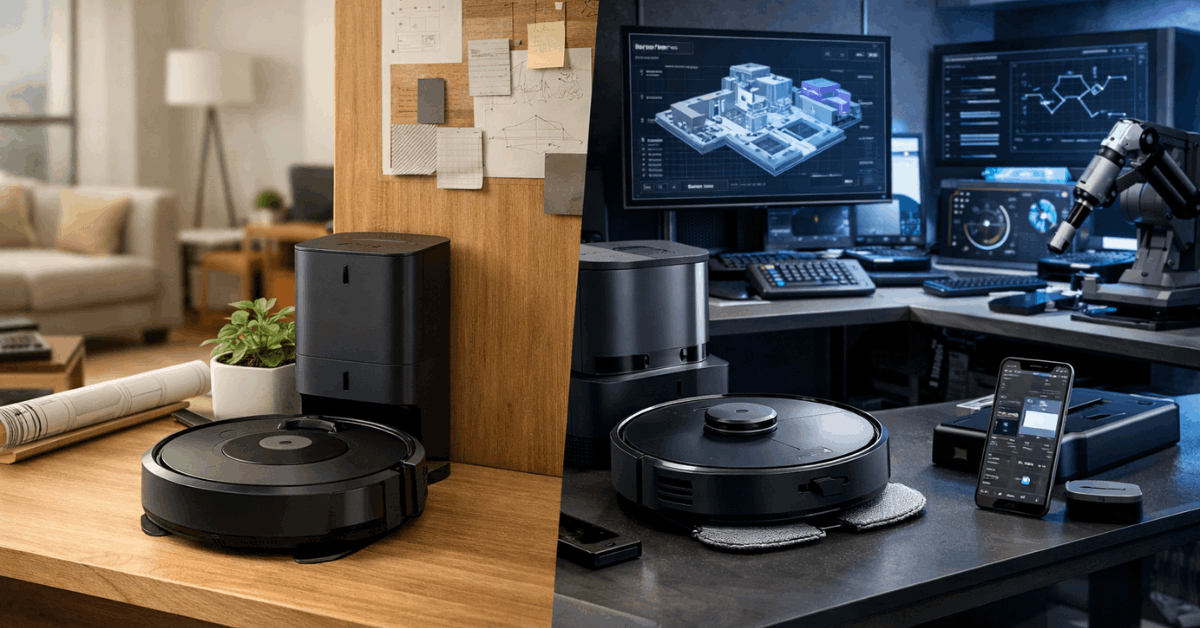
The Roborock app gives deeper control over scheduling, virtual no-go zones, and room-specific cleaning modes. The trade-off is a steeper learning curve during the first week of ownership. After that initial setup window, the app becomes second nature for anyone comfortable with smartphone settings.
Roomba vs Roborock Navigation and Suction Performance
Daily cleaning performance matters more than launch-day specs because a robot vacuum runs hundreds of cycles per year. Small differences in obstacle handling, suction consistency, and battery life compound over months of use.
LiDAR vs vSLAM: Two Mapping Systems
Roborock uses LiDAR navigation, which maps rooms faster and with higher spatial precision. The sensor creates a detailed floor plan on the first run and avoids cords, furniture legs, and pet bowls more reliably.
Roomba uses vSLAM (visual simultaneous localization and mapping), a camera-based system that builds its map over multiple cleaning sessions.
Newer Roomba models adapt their routes over time, but they require more manual correction during the first few runs. Expect to rescue a Roomba from under a low couch at least once during setup week.
Suction Power and Cleaning on Mixed Floors
Roborock’s 2026 lineup pushes suction above 5100 Pa on newer models, which translates to strong pickup on hard floors and low-pile carpet. The built-in mopping function adds flexibility for tile or hardwood areas.
Roomba balances suction with a dual-brush roller system designed specifically for carpet fiber and pet hair. On deep carpet, Roomba’s brush design pulls embedded fur better than Roborock’s single-roller setup. For homes with lots of rugs, that brush system matters more than raw suction numbers.
Battery life splits the two brands clearly. Roborock vacuums run up to 180 minutes per charge, while Roomba averages 90 to 120 minutes. Both support auto-docking and resume functions, so large homes still get fully cleaned. But Roborock finishes the job in fewer sessions.
App Control and Smart Home Integration
Both brands connect to Alexa and Google Assistant for voice commands. Roborock’s app offers room-by-room scheduling, live mapping, and smart re-routing when new obstacles appear mid-clean. Roomba’s app is cleaner but limits customization on lower-tier models.
I think the common advice that “Roomba is better for non-techy people” misses something that Roborock’s LiDAR mapping proves over 180-minute cleaning sessions: a vacuum that maps perfectly on day one needs less human intervention by week two than one that “learns” over multiple runs with vSLAM. Simplicity at setup does not equal simplicity over six months of ownership.
A Roborock user stops thinking about the vacuum sooner because the mapping just works from the first cycle.
That perspective flips the conventional wisdom. Roomba feels easier on day one. Roborock feels easier on day thirty.
Roomba vs Roborock Maintenance and Long-Term Costs
The purchase price is only part of what a robot vacuum costs. Replacement filters, brushes, bags, and repair access add up after the first year, and this is where the two brands diverge in ways that matter to anyone keeping a vacuum for more than 18 months.
Replacement Parts and Upkeep Frequency
Both brands need filter replacements, side brush swaps, and roller cleaning every few months. Roborock has washable filters and larger dustbins, which means slightly longer intervals between maintenance.
Expect to replace these parts on a regular schedule:
- Filters: Every 2 to 3 months for both brands, though Roborock’s washable filters stretch that window
- Side brushes: Every 3 to 6 months depending on floor type and pet hair volume
- Main rollers: Every 6 to 12 months, with Roomba’s dual-brush system costing slightly more per replacement
- Self-empty bags (Roomba): Every 30 to 60 days depending on the auto-empty base model
Roborock parts cost less per unit but can be harder to find at local retailers. Roomba parts are stocked at big-box stores and the iRobot official store, which makes same-week replacements easier.
Also Read: Product Comparison With Clear Takeaways
Repairs and Customer Support Access
iRobot has established service centers and a reputation for faster warranty responses. Roomba owners report quicker turnaround on repairs and better global coverage for support tickets.
Roborock relies more on email support and online channels. Local repair options are limited in some countries, which can mean longer wait times if something breaks. For a pet owner running a vacuum daily, that downtime gap matters.
Software Updates and Long-Term Support
Roborock pushes firmware updates that frequently add new features: improved room detection, better obstacle avoidance, new mopping patterns. That sounds great. But firmware updates on Roborock sometimes introduce mapping bugs that take weeks to patch.
Roomba’s updates focus on stability fixes rather than feature additions. The trade-off is predictability. An older Roomba model keeps working the same way it did on day one. iRobot also supports older models for longer software cycles, while Roborock shifts attention to newer releases faster.
| Feature | Roomba | Roborock |
|---|---|---|
| Navigation | vSLAM (camera-based) | LiDAR (laser-based) |
| Max suction | ~2700 Pa (high-end models) | ~5100 Pa (2026 models) |
| Battery life | 90-120 minutes | Up to 180 minutes |
| Mopping | Limited (Combo series, higher price) | Standard on mid-range and up |
| App depth | Simple, fewer settings | Deep customization, zoned cleaning |
| Part availability | Widely stocked locally | Cheaper online, limited in stores |
| Support response | Faster, local service centers | Email-based, longer wait times |
| Software updates | Stability-focused, longer model support | Feature-heavy, occasional bugs |
Roborock wins on specs and per-dollar value, while Roomba wins on support infrastructure and part accessibility.
Wi-Fi Compatibility and Setup Pitfalls
One thing almost every Roomba vs Roborock article skips: how your home network affects daily performance. Both vacuums need stable Wi-Fi for app control, scheduling, and firmware updates. But they handle network issues differently.
Roborock and Mesh Network Problems
Roborock vacuums can struggle with mesh Wi-Fi systems and low-bandwidth networks. The vacuum may lose connection mid-clean, fail to update its map, or refuse to start a scheduled job. Homes with older routers or thick walls sometimes need a dedicated 2.4GHz band for the vacuum to stay connected.
Roomba’s Network Flexibility
Roomba models connect more reliably across different network setups. The vacuum works out of the box in older homes without mesh systems and handles Wi-Fi handoffs better. Setup takes less time because Roomba starts cleaning before a full map is built, while Roborock requires a complete mapping run first.
That network compatibility gap rarely appears in comparison articles, but it decides whether the vacuum runs smoothly every day or needs troubleshooting once a month.
Ask yourself: does your Wi-Fi reach every room where the vacuum needs to operate? If the answer is “maybe,” Roomba’s network tolerance may save headaches.
Roomba vs Roborock Noise Levels and Mopping Limits
Roomba vacuums run louder than Roborock on standard cleaning modes. The noise difference is noticeable if the vacuum runs during work-from-home hours or nap time.
Roborock’s mopping function is useful for light daily maintenance on hard floors, but it does not replace a manual mop for stuck-on messes.
Roomba’s Combo series adds mopping at a higher price point, and the mopping performance is comparable. Neither brand delivers deep-scrub mopping. Treat the mop feature as a dust-and-light-spill tool, not a floor cleaner.
Questions People Ask About Roomba vs Roborock
Q: Is Roborock better than Roomba for pet hair? Roborock picks up surface pet hair effectively on hard floors thanks to higher suction. But Roomba’s dual-brush roller system pulls embedded fur from carpet fibers better, which makes it a stronger pick for homes with mostly carpeted rooms.
Q: How often do robot vacuum filters need replacing? Plan on swapping filters every 2 to 3 months for both Roomba and Roborock. Homes with pets or high dust may need monthly changes. Roborock’s washable filters can extend that interval slightly, but they still wear down and lose suction over time.
Q: Can Roborock work without Wi-Fi? Roborock can run a basic clean cycle using the physical button on the unit. But all scheduling, mapping, zone cleaning, and firmware updates require a Wi-Fi connection and the Roborock app. Running it offline removes most of what makes the vacuum worth buying at its price point.
Q: Does Roomba work with mesh Wi-Fi systems? Roomba generally handles mesh networks better than Roborock. The connection stays more stable across different router setups, which means fewer missed scheduled cleanings and fewer dropped connections during a job. Roborock owners with mesh systems sometimes need to create a separate 2.4GHz network for the vacuum.
Q: Which robot vacuum lasts longer, Roomba or Roborock? Roomba units tend to receive software support for older models longer than Roborock. The hardware on both brands holds up well for 3 to 4 years with regular part replacements. Roborock’s motors and batteries have a solid track record, but occasional firmware bugs after updates can cause temporary mapping issues that Roomba avoids.
Conclusion
The Roomba vs Roborock decision comes down to what frustrates a homeowner more: limited features or limited support. Roborock gives pet owners more suction, longer battery life, and deeper app control at a lower price point.
Roomba gives pet owners faster repairs, easier part access, and a vacuum that rarely surprises them after a software update. Pick based on what your home network can handle and which trade-offs will bother you least at month six.