Picking a handheld console gets weird when both options have OLED screens and overlapping price ranges. The decision looks simple on paper. The regret, though, shows up months later.
The Steam Deck OLED vs Nintendo Switch OLED debate hits different in 2026. One device sits at the end of its generation cycle. The other keeps gaining steam through software updates.
Choosing between these two handhelds comes down to questions that spec sheets never answer. What games do you care about right now, and which library will still grow next year?
I would pick the Steam Deck OLED at $549 over the Switch OLED at $399.99 for one reason: a cheaper console tied to a shrinking library costs more over time than a pricier one connected to decades of PC games.
Price Tag vs Actual Cost of Owning Each Handheld
Sticker price gets all the attention, but what these consoles cost to own over a full year paints a different picture. The accessories, the game prices, and the docking situation all shift the math.
Steam Deck OLED Pricing and What’s Included
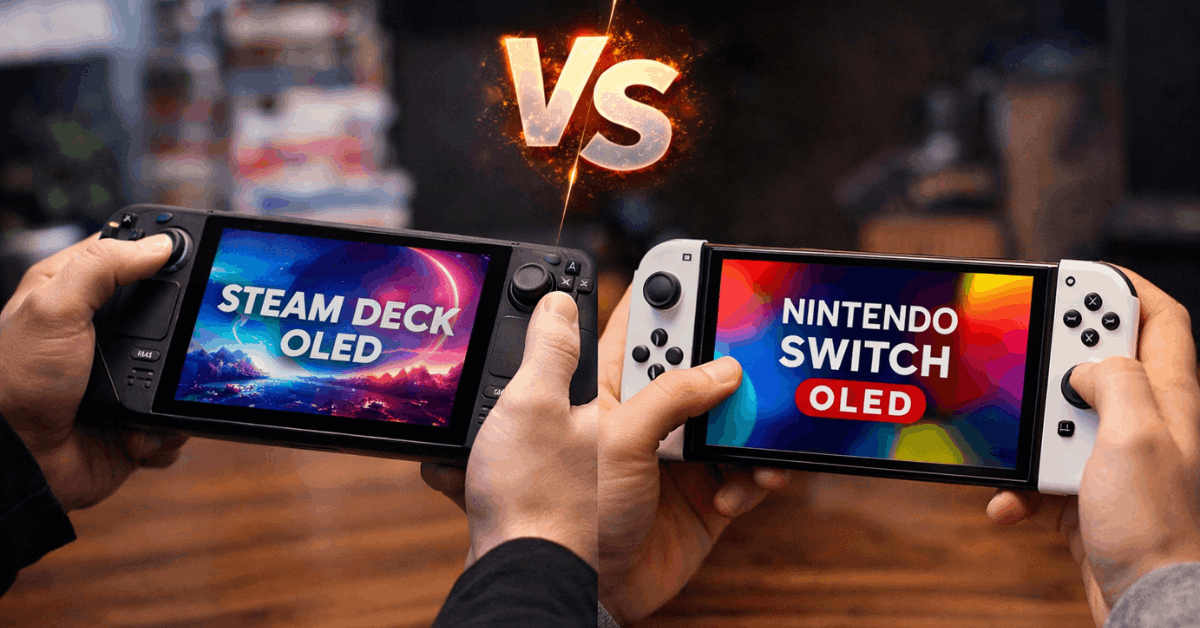
The Steam Deck OLED starts at $549 for the 512 GB model, with a 1 TB option at a higher tier. That price includes the handheld and a carrying case. No dock in the box.
TV output requires a USB-C hub or Valve’s official Docking Station, which is a separate purchase. So budget another $50 to $90 if big-screen play matters to you.
The upside is storage. A 512 GB base means fewer compromises on install sizes, and NVMe speeds keep load times tight. PC game sales on Steam also tend to run deeper discounts than the Nintendo eShop, which nibbles at that higher entry price over time.
Nintendo Switch OLED Pricing and What’s Included
The Nintendo Switch OLED lists at $399.99 and comes with a redesigned dock that has a wired LAN port. TV play works straight out of the box, no extra purchases needed.
The catch is 64 GB of internal storage. A microSDXC card is almost mandatory for anyone planning to own more than a handful of games. Factor that into the purchase price and the gap between these two consoles narrows faster than the sticker prices suggest.
Nintendo’s eShop pricing also stays firm. First-party titles rarely see deep discounts, even years after release. A game like The Legend of Zelda: Tears of the Kingdom still costs close to full price in 2026.
Steam Deck OLED vs Nintendo Switch OLED Display and Screen Quality
Both handhelds use OLED panels, which means pixel-level lighting, deep blacks, and punchy colors regardless of which one you grab. But the similarities stop at the panel type.
Screen Size and Refresh Rate Differences
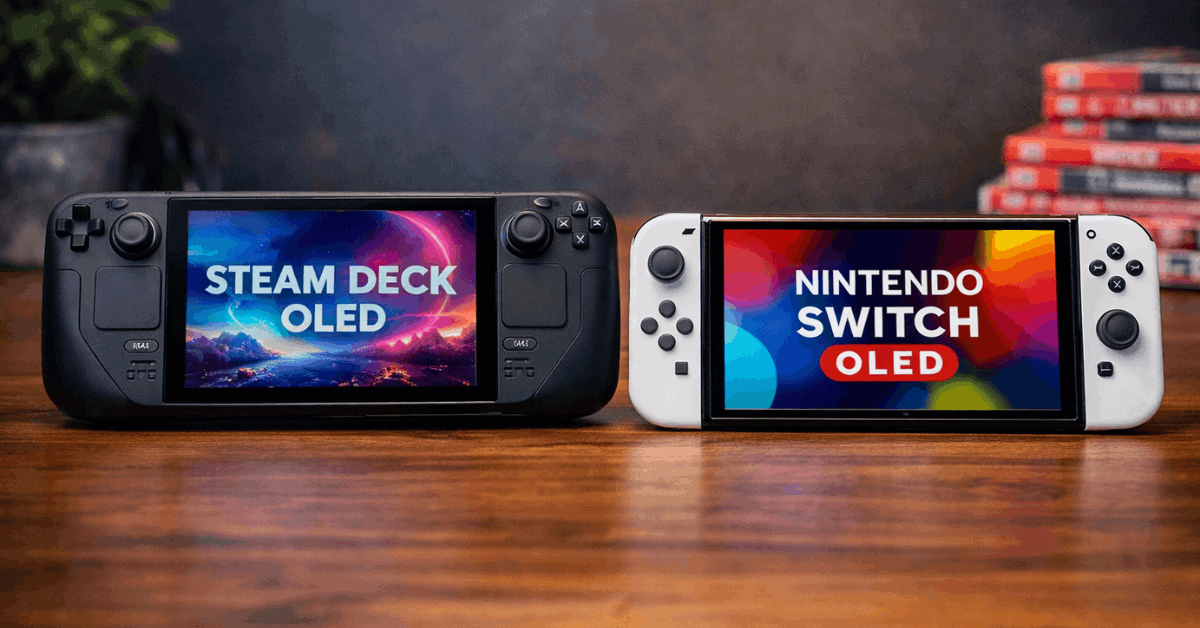
The Steam Deck OLED has a 7.4-inch HDR OLED display running at 1280 x 800 with up to 90 Hz refresh. That 90 Hz option makes a noticeable difference during fast-paced games. Scrolling through menus and navigating SteamOS feels slick, too.
The Switch OLED carries a 7-inch OLED at 1280 x 720 locked to 60 Hz. Resolution differences between the two are hard to spot during handheld play because both screens are small enough that pixel density stays reasonable.
The refresh rate gap, though, is visible during action-heavy titles. Once your eyes adjust to 90 Hz, going back to 60 Hz feels like dragging through mud.
HDR and Brightness
Peak brightness tips toward Valve’s panel, especially in HDR content where high-contrast scenes pop more dramatically. The Switch OLED produces clean, well-tuned colors, but it lacks HDR support entirely.
For outdoor or bright-room gaming, the Steam Deck OLED’s higher brightness ceiling matters. The Switch OLED handles well-lit rooms fine, but direct sunlight washes it out faster.
Performance and What Each Console Can Run
Raw processing power tells half the story. The other half is what each platform does with that power and how comfortable it feels during a two-hour session.
Steam Deck OLED Specs and Gaming Performance
The Steam Deck OLED runs a 6 nm AMD APU paired with 16 GB of LPDDR5 RAM. SteamOS receives regular updates that improve compatibility and power management, which means performance gets better over time without buying new hardware.
Expect smooth gameplay across a wide range of modern PC titles when graphics settings are tuned for handheld targets. Deck Verified badges on Steam help identify which games run well, which reduces guesswork. The system also supports Proton for running many Windows titles on its Linux-based OS.
Fan noise is the trade-off. The OLED model runs cooler than the original LCD Deck, but fans spin up audibly under heavy loads. Playing Elden Ring or Cyberpunk 2077 on a quiet bus will announce your hobby to nearby passengers.
Nintendo Switch OLED Specs and Gaming Performance
The Switch OLED uses an NVIDIA Tegra-based chipset designed for efficiency. First-party Nintendo games run smoothly because developers build them to hit specific performance targets on this hardware.
Third-party ports are where cracks appear. Demanding games released after 2022 either arrive with resolution and frame rate cuts or skip the platform entirely. The Switch library is curated by necessity: if a game can’t run well on Tegra, it often doesn’t show up at all.
The console runs quieter overall, partly because workloads stay lighter. For bedtime gaming or playing near a sleeping partner, the Switch OLED wins the noise contest easily.
Also Read: Sony A7 IV vs Canon R6 Mark II: Differences You Should Know Before Buying
Game Libraries: Where the Real Split Happens
This is the section that should drive your purchase decision more than any spec comparison. Hardware ages. Game libraries define how much joy a console brings over its lifetime.
Steam Deck Game Library and Store Access
The Steam Deck connects to decades of PC game releases through the Steam store. Older titles, indie games, AAA releases from 2024 and 2025, and free-to-play games all sit in one place. Installing alternative launchers and storefronts is possible, though setup takes patience and some Linux comfort.
I think the Steam Deck’s backward compatibility is its most underrated advantage, because a PC game library never resets when a new console generation launches.
Games purchased for the Deck today will still work on whatever Valve releases next. That continuity has real dollar value that comparison articles rarely mention.
Modding support adds another layer. Titles like Stardew Valley, Skyrim, and Baldur’s Gate 3 gain extended life through community mods that the Switch versions never receive.
Nintendo Switch OLED Exclusive Games
The Switch OLED wins on exclusive franchises that simply do not exist anywhere else. Zelda, Mario, Metroid, Animal Crossing, and Pokémon anchor a library built for broad appeal.
The limitation in 2026 is timing. The Switch is a mature platform now, and major first-party releases have slowed as Nintendo’s attention shifts toward the Switch 2. Buying a Switch OLED today means buying into a library that is largely complete rather than one that’s still growing.
Backward compatibility across the Switch generation keeps older favorites playable. But new game announcements increasingly target the successor console, which changes the value equation for anyone planning to keep their handheld for two or more years.
Battery Life, Docking, and Daily Use
Specs stop mattering once a console sits dead on the couch because the battery ran out mid-session. Practical endurance and docking flexibility shape daily routines more than processor benchmarks.
The Steam Deck OLED runs between 3 to 12 hours depending on what’s playing. Light indie titles stretch sessions. Graphically demanding 3D games pull battery life toward the lower end. The larger battery and efficient OLED panel give it an edge over the original LCD Deck.
Nintendo rates the Switch OLED at approximately 4.5 to 9 hours, though real-world numbers vary by game.
Indie titles and older releases stretch runtime, while graphically rich games land on the lower end. The Switch’s lighter hardware demands mean battery performance stays more predictable across its library.
The docking experience favors Nintendo for simplicity: the included dock with a wired LAN port makes TV play immediate. The Steam Deck requires a separate USB-C adapter and some resolution configuration to get a comfortable big-screen setup.
| Feature | Steam Deck OLED | Nintendo Switch OLED |
|---|---|---|
| Price (US) | $549 (512 GB) | $399.99 |
| Display | 7.4″ HDR OLED, 90 Hz | 7″ OLED, 60 Hz |
| Resolution | 1280 x 800 | 1280 x 720 |
| Weight | ~640 g | ~420 g (with Joy-Con) |
| Internal Storage | 512 GB or 1 TB NVMe | 64 GB |
| Battery Life | ~3 to 12 hours | ~4.5 to 9 hours |
| Dock Included | No | Yes |
The Switch OLED’s lighter weight and included dock make it the grab-and-go winner, while the Steam Deck’s storage and display specs reward longer, more invested play sessions.
Who Should Pick Which Handheld in 2026
Both consoles serve different gaming lifestyles, and the right fit depends on a few honest questions about how gaming fits into your week.
The Steam Deck OLED makes sense if your priority list looks like this:
- Access to the full Steam library and PC game sales
- Higher refresh rate (90 Hz) and HDR display for visually demanding titles
- A game library that carries forward to future Valve hardware without repurchasing
The Nintendo Switch OLED fits better if these matter more:
- Exclusive Nintendo franchises like Zelda, Mario, and Pokémon
- Lighter weight for commuting, travel, and quick play sessions
- Detachable Joy-Con controllers for instant local multiplayer without extra gear
The Switch 2 exists as a separate product with different specs and pricing. Treat it as its own purchase decision. This comparison focuses on the two OLED models available on shelves today, and both remain functional, supported hardware heading into late 2026.
Check current pricing and bundle availability on Valve’s Steam Deck page and Nintendo’s official Switch OLED page before locking in a decision, since seasonal promotions and certified refurbished offers can shift the value math.
Questions People Ask About Steam Deck OLED vs Nintendo Switch OLED
Q: Can the Steam Deck OLED play Nintendo games? The Steam Deck cannot play Nintendo Switch games. It runs SteamOS (Linux-based) and accesses PC games through Steam and compatible launchers. Emulation of older Nintendo systems is a separate legal and technical discussion that Valve does not officially support.
Q: Is the Nintendo Switch OLED still worth buying in 2026? The Switch OLED can still be a solid purchase if exclusive Nintendo games are your main interest. Keep in mind that major first-party releases have slowed as development shifts toward the Switch 2, so the library is largely set at this point.
Q: Does the Steam Deck OLED overheat during long sessions? The OLED model runs cooler than the original LCD Steam Deck thanks to a more efficient 6 nm APU. Fans still spin up under heavy workloads, but overheating during normal play sessions is uncommon when the vents stay unblocked.
Q: Which handheld has better multiplayer support? The Switch OLED has the edge for local multiplayer because Joy-Con detach into two separate controllers without buying anything extra. The Steam Deck supports online multiplayer through Steam but requires external controllers for local co-op setups.
Q: Can either handheld connect to a TV or monitor? Both connect to external displays. The Switch OLED includes a dock in the box for instant TV output. The Steam Deck OLED needs a USB-C hub or Valve’s Docking Station, sold separately, to output video to a TV or monitor.
Conclusion
The Steam Deck OLED vs Nintendo Switch OLED decision comes down to library preference and daily habits. Spec sheets help, but the console that matches your actual gaming time wins every comparison.
Neither device is a wrong choice, though one will collect dust faster if the game library doesn’t match your taste. Pick the ecosystem that earns your evenings, and the hardware will take care of the rest.