In everyday use, laptops fail for predictable reasons: batteries fade, storage fills or fails, fans clog, and ports wear. MacBook Air 13 vs Dell XPS 13 captures a recurring decision where design, thermals, and service paths decide longevity more than raw speed.
Earlier generations set the tone as well. Air M1 units routinely outlasted XPS 13 9310 models in battery tests, while the XPS 13 countered with brighter panels and more display options.
Newer models raise the stakes again as Air M3 remains fanless and efficient, and XPS 13 9340 adds Core Ultra silicon, an NPU, and slicker industrial design.
What Reliability Means Over Five Years
In practical terms, reliability means the device boots quickly, runs cool and quiet enough under normal loads, keeps a charge through travel days, and remains supportable when parts wear.
Component choices affect all of that. Batteries with high cycle ratings delay replacements. Soldered memory limits recovery options after a mainboard failure.
User-replaceable SSDs simplify data recovery after accidental damage. Operating system support timelines also matter because security updates extend the viable life.
Hardware Design and Serviceability
Long term durability begins inside the chassis. Materials, cooling layouts, and the ability to replace high-wear parts shape outcomes even for careful users.
Chassis, Hinge, and Touchpoints
Aluminum unibody construction remains a strength for both lines. Air models feel rigid for the weight, with consistent hinge behavior and minimal deck flex.
XPS 13 9340 retains that dense, machined feel while pushing an edge-to-edge keyboard and a “hidden” haptic touchpad. Expect a short adjustment period for Dell’s touchpad boundaries, although the hardware itself is stable.
Apple’s haptic touchpad remains the benchmark for accuracy and click uniformity, which reduces input strain over years of daily use.
Memory and Storage
Component replaceability drives real-world serviceability. Air M1 and Air M3 units use unified memory and soldered storage, so RAM and SSD are not field-upgradeable.
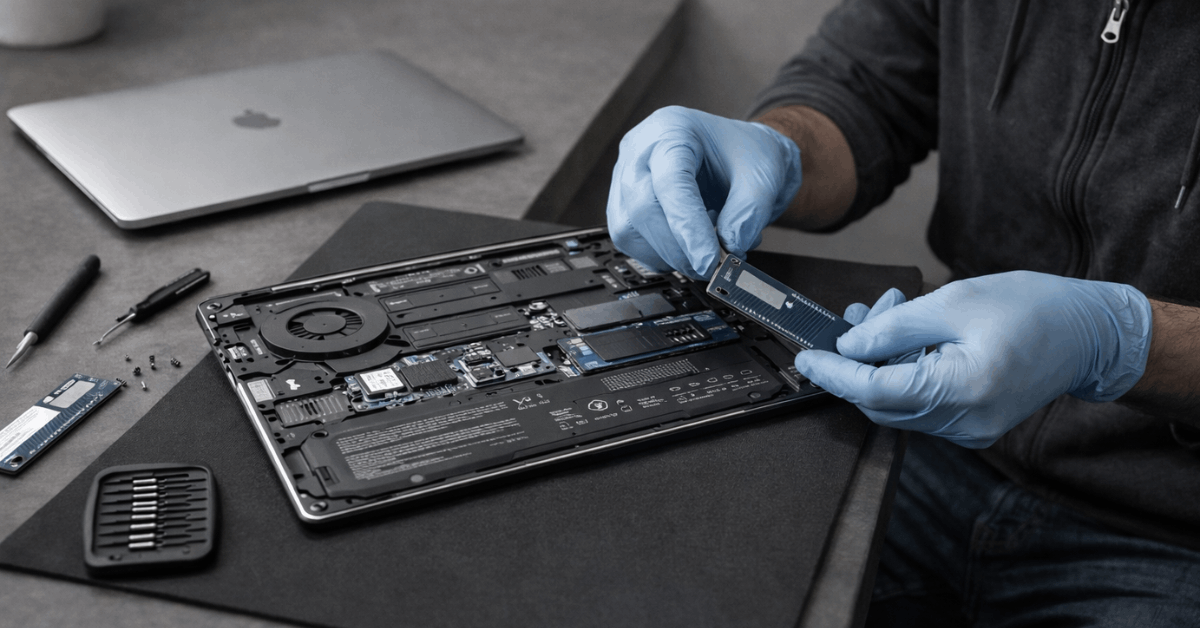
Logic board replacement becomes the path for capacity increases or storage failures, which is costlier and ties recovery to Apple’s service network. XPS 13 9340 uses soldered LPDDR5X memory but retains a standard M.2 slot for the SSD.
That single distinction means a storage replacement or capacity bump remains straightforward on the Dell, which is a material advantage for owners planning five years of use.
Thermals and Noise
Thermal design impacts reliability because repeated heat stress accelerates component wear. Air models run fanless, relying on efficiency and passive dissipation.
Expect near-silent operation during light and moderate tasks, plus thermal throttling under extended heavy load that limits peak heat exposure. XPS 13 9340 uses active cooling; sustained loads trigger audible fans yet maintain higher clocks.
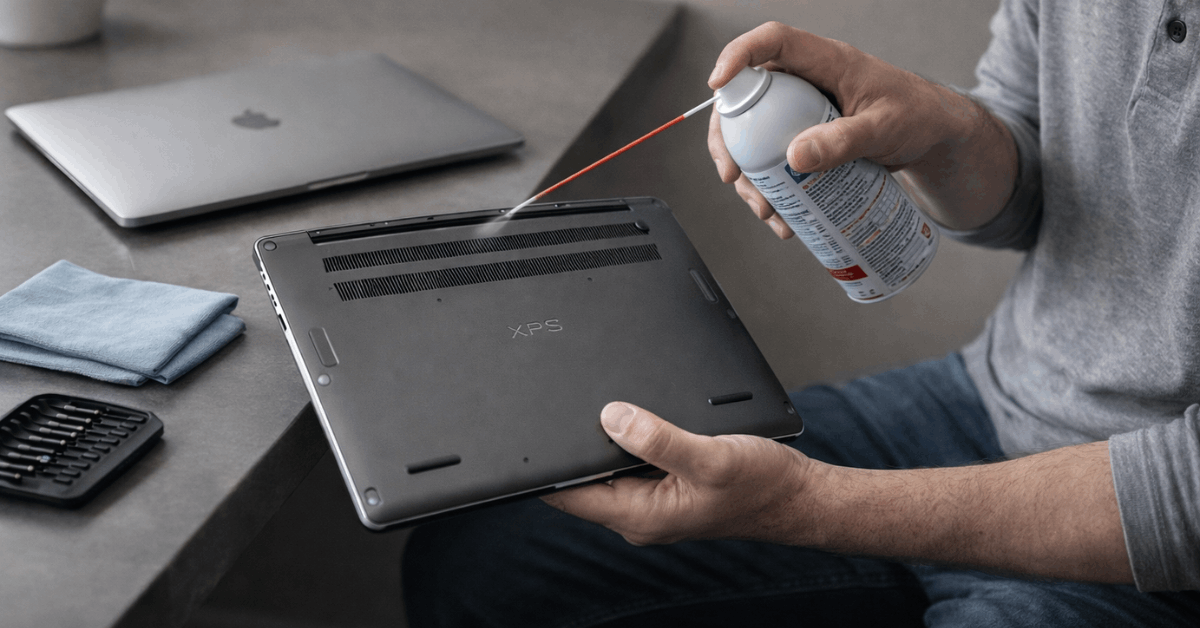
Fans introduce moving parts and dust paths, although regular cleaning mitigates risk. For light productivity and long idle stints, cooler-running silicon and passive cooling favor fewer thermal excursions over time.
Battery Longevity and Software Support
Power systems and update cadence decide whether a laptop still feels dependable in year four. Planning for both increases the odds of a trouble-free run.
Battery Chemistry and Cycle Ratings
Apple specifies a 1000-cycle design target for modern Mac notebook batteries. Real outcomes vary with depth of discharge, temperature, and charge habits, yet a high cycle ceiling aligns well with multi-year ownership.
Dell’s standard battery warranty coverage is one year, with optional extended battery service available at purchase. XPS 13 9340 ships with a 55 Wh pack that reviewers rate strongly for runtime, although results vary more widely across Windows configurations.
Operating System Updates
macOS major-version support prioritizes Apple Silicon going forward, positioning M1 and newer chips for longer platform support and security coverage.
Intel Mac support sunsets after macOS Tahoe, while Apple Silicon remains the focus for new capabilities. Windows 11 receives regular security and feature updates on XPS 13 9340, and Microsoft’s long servicing horizon helps enterprise adoption.
Stability over time depends on disciplined driver support from Dell, which has historically been solid for the XPS family.
Vendor Warranty and Add-Ons
AppleCare+ extends coverage and includes battery service if the capacity falls below 80 percent during the plan. That policy directly addresses the most common wear item.
Dell Premium Support offers rapid parts and on-site service options depending on region, and the XPS 13’s user-replaceable SSD simplifies field recovery in storage-related incidents.
Either path can yield excellent outcomes; the Air solution relies on integrated coverage terms, while the XPS path benefits from modular parts.
Display, Webcam, and Daily Wear Items
Panels, webcams, and speakers rarely fail when treated well, yet day-to-day friction matters. Air 13 ships with a single 13.6-inch IPS display that is color-accurate and stable across brightness levels, reducing calibration drift in creative tasks.
XPS 13 offers multiple 13.4-inch options, including OLED, which delivers high contrast and saturated color at the cost of potential image retention if left static at high brightness for long periods.
Apple’s 1080p webcam pipeline consistently produces cleaner video calls than many Windows peers, while Dell’s IR camera enables fast face unlock. Both designs keep weight below 3 pounds and feel sturdy in bags, which reduces accidental torsion that can loosen hinges over time.
Performance Stability Under Load
Sustained compute impacts thermals and battery health, which loops back into reliability. Air M3’s single-core performance remains excellent for office work, browser stacks, and light photo edits.
XPS 13 9340 can exceed the Air’s multi-threaded output in long CPU runs thanks to active cooling and higher power ceilings. That extra headroom benefits code compiles and batch exports, provided fan noise and surface heat are acceptable for your workflow.
For long shelf life, the broader point holds: lower average power usually means lower cumulative heat stress across the system.
Maintenance Tips That Extend Lifespan
Reliability improves markedly when simple maintenance becomes a habit. Treat these as non-negotiables for either platform.
- Set conservative charge targets on desk duty and avoid frequent deep discharges to slow battery wear.
- Keep vents and hinge areas free of dust; schedule a quarterly compressed-air clean for the XPS 13.
- Use a quality USB-C hub to reduce direct plug cycles on laptop ports, which limits mechanical wear.
- Plan storage headroom of at least 20 percent to preserve SSD endurance and performance over time.
- Apply firmware, driver, and OS updates after a short delay to let early issues surface without affecting productivity.
Quick Comparison – Long-Term Reliability Factors:
| Factor | MacBook Air 13 (M1/M3) | Dell XPS 13 (9310/9340) |
| Cooling approach | Fanless passive cooling | Dual-fan active cooling |
| Memory and storage | Soldered RAM and SSD | Soldered RAM, user replaceable SSD |
| Battery and coverage | 1000-cycle design, AppleCare+ battery service below 80 percent | 55 Wh pack on 9340, 1-year standard battery warranty, optional extensions |
| OS support outlook | Apple Silicon prioritized for new macOS versions | Windows 11 feature and security cadence supported for years |
| Field service paths | Centralized Apple service, logic board swaps common | Broader third-party repair options, SSD swaps are routine |
Verdict: Which Product Is More Reliable Long Term?
Across multiple generations, MacBook Air favors longevity through low power draw, passive thermals, consistent displays, and a clear macOS update policy for Apple Silicon.
Battery service terms inside AppleCare+ reinforce that stance for owners keeping machines through a full degree program or multi-year contract cycle.
Under similar workloads, fewer moving parts and cooler averages tend to reduce wear, which tilts long-term reliability toward the Air for typical productivity users.
Outstanding Build
XPS 13 9340 answers with outstanding build, excellent screens, including OLED, and a user-replaceable SSD that makes data recovery and capacity upgrades straightforward.
That single serviceability win matters when planning a five-year horizon. Fans, while audible, help preserve performance during heavier CPU and GPU workloads, though they add a maintenance step.
Buyers prioritizing Windows workflows, flexible panel options, and field-swappable storage will find the XPS reliability story compelling, provided regular dust management remains in the routine.
Productivity-First
Straight call for most productivity-first owners: MacBook Air 13 leads on battery consistency, silence, and OS runway. Balanced call for Windows power users who value modular storage and display choice: Dell XPS 13 holds its own, and its replaceable SSD is a real asset.
Picking between them should follow your platform needs, tolerance for fan noise, and appetite for serviceability versus sealed simplicity.