Picking a tablet gets weird when both options cost the same but solve different problems. The iPad Air vs Samsung Galaxy Tab S9 debate lands exactly in that confusing middle ground.
Every comparison article says the same thing: “it depends on your needs.” That answer helps nobody holding a credit card with a $600 limit and one shot to get this right.
So I broke down the iPad Air vs Samsung Galaxy Tab S9 side by side, focusing on what each tablet does poorly. Weaknesses tell you more than strengths ever will.
The iPad Air vs Samsung Galaxy Tab S9 decision comes down to three things most reviewers bury at the bottom. Let’s get to them.
iPad Air vs Galaxy Tab S9 Build and Design Compared
Both tablets look and feel premium. Aluminum frames, slim profiles, tight construction. The differences show up in the details that matter six months after purchase, not at the store demo table.
IP68 Rating on the Tab S9 Changes the Calculation
Galaxy Tab S9 measures about 5.9 mm thin and carries an IP68 dust and water resistance rating. That rating means something if you carry your tablet to a kitchen counter, a café patio in the rain, or a job site.
iPad Air sits near 6.1 mm and has no formal ingress protection rating. Apple’s build quality is solid, and a good folio case adds drop protection. But if liquid damage worries you, the Tab S9 handles that anxiety out of the box.
Pen and Accessories: One Comes Free, One Doesn’t
Samsung bundles the S Pen with the Tab S9. It docks magnetically, charges on the tablet, and delivers low-latency writing that works immediately. Apple sells the Apple Pencil separately, and the current pricing adds $79 to $129 depending on the version.
I think Samsung’s decision to include the S Pen at the Tab S9’s price point makes Apple’s separate Pencil pricing look increasingly stubborn, especially when both tablets target the same $450 to $650 range.
The Pencil itself is fantastic for tilt and pressure response. But paying extra for a core input tool feels out of step when the competition gives it away.
Both tablets charge over USB-C. The Tab S9 supports faster charging rates, which matters if you charge during short breaks between classes or meetings.
iPad Air vs Galaxy Tab S9 Display: 60Hz Is the Elephant in the Room
This is where my opinion splits hard from the usual comparison articles. And the screen is the thing you stare at for every single hour of use.
Why 60Hz on the iPad Air Feels Dated in 2026
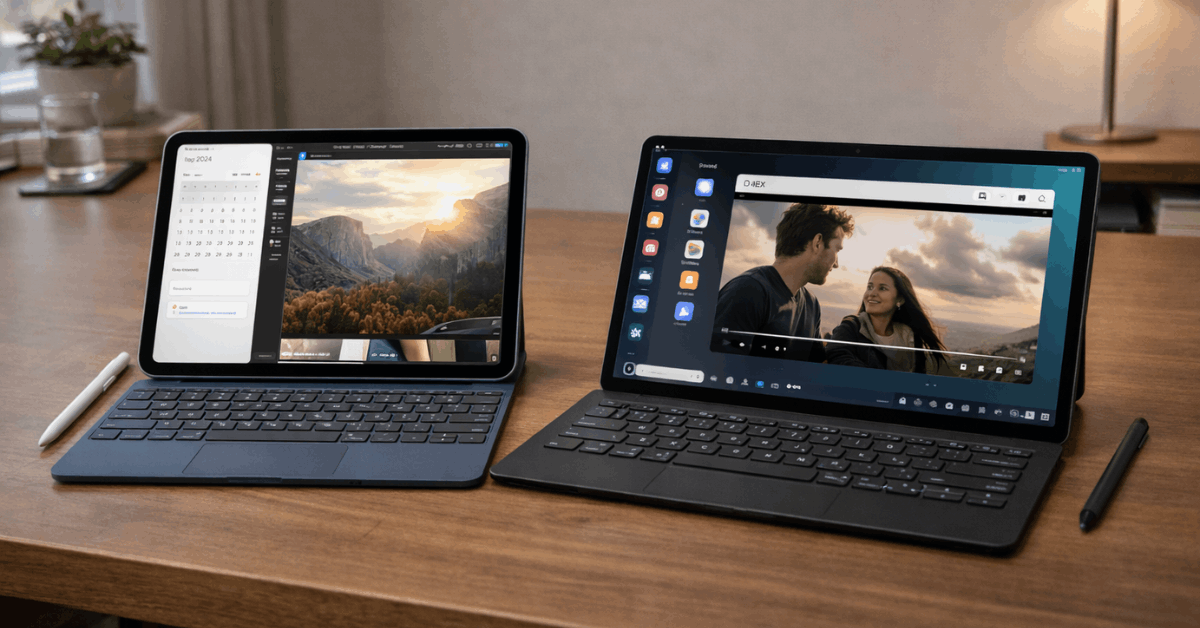
Galaxy Tab S9 has an 11-inch Dynamic AMOLED panel running at 120Hz. Deep blacks, high contrast, silky scrolling. Movies, games, and even basic app switching look dramatically smoother.
iPad Air uses a Liquid Retina LCD at 60Hz. Color accuracy is strong, and brightness stays consistent. Apple’s color science does great work for photo editing and design-focused apps.
But I think the iPad Air’s 60Hz panel is a real problem for anyone buying a tablet primarily for media consumption in 2026.
Every phone over $300 ships with at least 90Hz now. Scrolling at 60Hz on a 10.9-inch screen feels jarring once your eyes adjust to higher refresh rates on your phone.
Comparison articles keep calling the iPad Air display “excellent for most users,” but that claim ages worse every year as 120Hz becomes the floor, not the ceiling.
The Tab S9’s AMOLED pairs especially well with dark scenes in streaming content, where LCD panels tend to wash out shadow detail. For color-critical design tasks, the iPad Air’s LCD calibration still has an edge. Pick based on what fills 80% of your screen time.
Speaker Quality on Both Tablets
Quad-speaker arrays on both devices deliver clear dialogue and decent spatial separation. The Tab S9’s tuning works well with AMOLED’s dark-scene advantage during movie watching. iPad Air leans toward clarity that helps with video calls and podcast listening during long sessions.
Also Read: MacBook Air 13 vs Dell XPS 13: Which Product Is More Reliable Long Term?
Performance and Storage: M2 Chip vs Snapdragon 8 Gen 2
Raw power matters less than most spec-comparison articles suggest. Both processors handle everything a tablet needs to do. The difference sits in how they handle sustained workloads and how storage scales over time.
Processing Power for Real Tasks
Apple’s M2 chip in the iPad Air handles layered timelines, RAW photo editing, and asset-heavy creative apps with noticeable headroom. If you edit video in LumaFusion or build complex Procreate files, the M2 pulls ahead.
Snapdragon 8 Gen 2 inside the Galaxy Tab S9 stays fast for multitasking, Samsung DeX desktop mode, and gaming at high settings.
Sustained performance during multi-hour gaming or video editing sessions tends to favor the iPad Air’s silicon efficiency, but the Tab S9 handles mixed workloads (browser tabs, notes, video in split-screen) without breaking a sweat.
The Storage Trap Nobody Prices Correctly
iPad Air offers fixed internal storage tiers and no microSD expansion. The jump from 64GB to 256GB adds roughly $150 at retail. That cost compounds if your 4K media library, app downloads, and offline content grow faster than expected.
Galaxy Tab S9 starts at a modest internal capacity but accepts microSD cards up to 1TB. A good 256GB microSD card costs around $20 to $30 in 2026. The total cost of ownership math shifts dramatically when you factor in storage upgrades over the tablet’s lifetime.
A reader buying the base iPad Air and then realizing they need more space faces a second purchase at Apple’s storage premium. A Tab S9 buyer drops $25 on a microSD card and moves on. That cost difference funds a keyboard case.
Software and Ecosystem: iPadOS vs Android on a Tablet
The software experience on each tablet pulls in a different direction, and switching ecosystems mid-purchase is expensive.
iPadOS carries the strongest library of tablet-first creative and productivity apps. Apps like Procreate, Affinity Photo, Final Cut for iPad, and GoodNotes run with tablet-specific interfaces that Android versions often lack.
Stage Manager now supports extended desktops over USB-C, which works well for writers and editors who want a reference pane beside their main workspace. Check the current Stage Manager compatibility list on Apple’s iPad support page.
Android on the Galaxy Tab S9 handles file management, notifications, and app sideloading with more flexibility. Samsung DeX turns the tablet into a windowed desktop environment that works comfortably with a keyboard and mouse for browser tasks, documents, and messaging.
Cross-device continuity matters here: if your phone is a Samsung Galaxy, the handoff between phone and tablet for calls, messages, and clipboard sharing works smoothly. The same gravity applies to Apple users with iPhones and MacBooks.
I think the ecosystem lock-in question deserves more weight than the spec sheet in this decision. Switching from an iPhone to a Galaxy Tab (or vice versa) creates daily friction in file transfers, AirDrop vs. Quick Share, and synced app purchases that adds up over 3 to 4 years of tablet ownership.
Battery Life and Charging Speeds
Apple rates the iPad Air for up to 10 hours of web browsing or video playback. Samsung claims up to 15 hours of video on the Tab S9, though web browsing sits closer to 10 hours.
Real-world testing shows roughly similar endurance during mixed use. The Tab S9 stretches farther in pure video loops and can refuel faster with compatible high-wattage chargers, which suits students and commuters who charge between classes or transit stops.
Neither tablet includes a charger in the box. Budget $15 to $30 for a compatible USB-C brick that supports the tablet’s maximum charging speed. Using an old 5W charger turns a 90-minute refuel into a 3-hour wait.
Here is a comparison of the core specs that shape daily use:
| Category | iPad Air (M2) | Galaxy Tab S9 |
|---|---|---|
| Processor | Apple M2 | Snapdragon 8 Gen 2 |
| Display | Liquid Retina LCD, 60Hz | Dynamic AMOLED, 120Hz |
| Pen Included | No (Apple Pencil sold separately) | Yes (S Pen included) |
| Storage Expansion | No microSD slot | microSD up to 1TB |
| Water Resistance | No formal rating | IP68 certified |
| Battery (Video) | Up to 10 hours | Up to 15 hours |
The Tab S9 wins on included accessories and expandability, while the iPad Air leads on raw processing power and tablet-optimized app selection. Detailed specs are available on Samsung’s Galaxy Tab S9 page.
Who Should Pick Which Tablet
The right pick depends on how you spend 80% of your tablet time. Everything else is a secondary concern.
Buyers who should lean toward the iPad Air M2:
- Creators working in Final Cut, Procreate, or Affinity Photo who need tablet-first app quality
- Users deep in the Apple ecosystem with an iPhone, Mac, and AirPods already
- Students in programs that require specific iPadOS-only educational apps
Buyers who should lean toward the Galaxy Tab S9:
- Media-first users who stream Netflix, YouTube, and game regularly and want 120Hz AMOLED
- Budget-conscious buyers who want the S Pen included and cheap microSD storage expansion
- Android phone owners who benefit from Samsung’s cross-device continuity features
Neither tablet is a bad choice. But buying the wrong one for your primary use case means living with a daily compromise for 3 to 4 years.
Questions People Ask About iPad Air vs Samsung Galaxy Tab S9
Q: Can the Galaxy Tab S9 replace a laptop? Samsung DeX gets close for browser-based work, document editing, and email. But desktop-class software and multi-window workflows still feel limited compared to a $400 Chromebook or budget Windows laptop. The Tab S9 works best as a secondary device, not a full laptop replacement.
Q: Is the iPad Air display bad for watching movies? The LCD panel produces accurate colors and consistent brightness, so movies look good. But the 60Hz refresh rate and lower contrast compared to AMOLED mean dark scenes lose shadow detail, and scrolling between apps feels noticeably less fluid than on the Tab S9.
Q: Does the Apple Pencil work better than the S Pen? The Apple Pencil has stronger tilt sensitivity and pressure response for illustration work. The S Pen writes well for notes and markup but lacks the Pencil’s precision at extreme angles. The real difference is cost: S Pen is free, Apple Pencil starts at $79.
Q: How long will these tablets get software updates? Apple typically supports iPads for 5 to 6 years of major iPadOS updates. Samsung has committed to 4 years of OS updates and 5 years of security patches for the Tab S9 series. Both will stay current well into 2028 and beyond.
Q: Is the microSD slot on the Tab S9 worth caring about? Absolutely, if you download movies, store large game files, or keep offline music libraries. A 256GB microSD card costs under $30 and doubles your usable storage without touching Samsung’s internal storage pricing tiers.
Conclusion
The iPad Air vs Samsung Galaxy Tab S9 comparison rewards buyers who pick based on daily habits, not spec sheets. Ecosystem fit and display preference matter more than processor benchmarks for tablet buyers in 2026.
Storage costs and included accessories shift the total price gap more than the sticker price suggests. Pick the screen you want to stare at and the ecosystem your phone already lives in.