
Your upstairs office drops to one bar every afternoon, and now two boxes sit in your cart: eero 6+ vs TP-Link Deco X55, separated by roughly fifty dollars.
That fifty-dollar gap hides the real question. Which mesh Wi-Fi system keeps working when three people stream, game, and join video calls at the same time?
I compared the eero 6 family against the Deco X55 on throughput, coverage, ports, and subscription costs. The value math surprised me more than any spec sheet did.
This guide breaks down where each system earns its price in 2026, so your money lands on hardware your home will use every single day.
Eero 6+ vs Deco X55 Price: What Does Fifty Dollars Buy?
Retail pricing sets the stage for everything else in this comparison. Deco X55 3-packs frequently land near $149.99, while eero 6 family 3-packs sit closer to $199.99. That gap sounds small until you translate it into what each box physically gives you.
Price Per Gigabit Port: The Math That Flipped My Verdict
Each Deco X55 node has three gigabit Ethernet ports. Each eero 6 family router typically has two. Across a 3-pack, that means nine wired connections on Deco against six on eero, before you buy a single network switch.
Run the division and the picture sharpens. Nine ports on a $149.99 kit works out to roughly $16.67 per wired connection. Six ports on a $199.99 kit lands at about $33.33, double the cost per port.
I have not seen this price-per-port framing in any other Eero 6+ vs TP-Link Deco X55 comparison, and I think it matters more than coverage claims. Every console, smart TV, or desktop you can wire frees wireless airtime for phones and tablets.
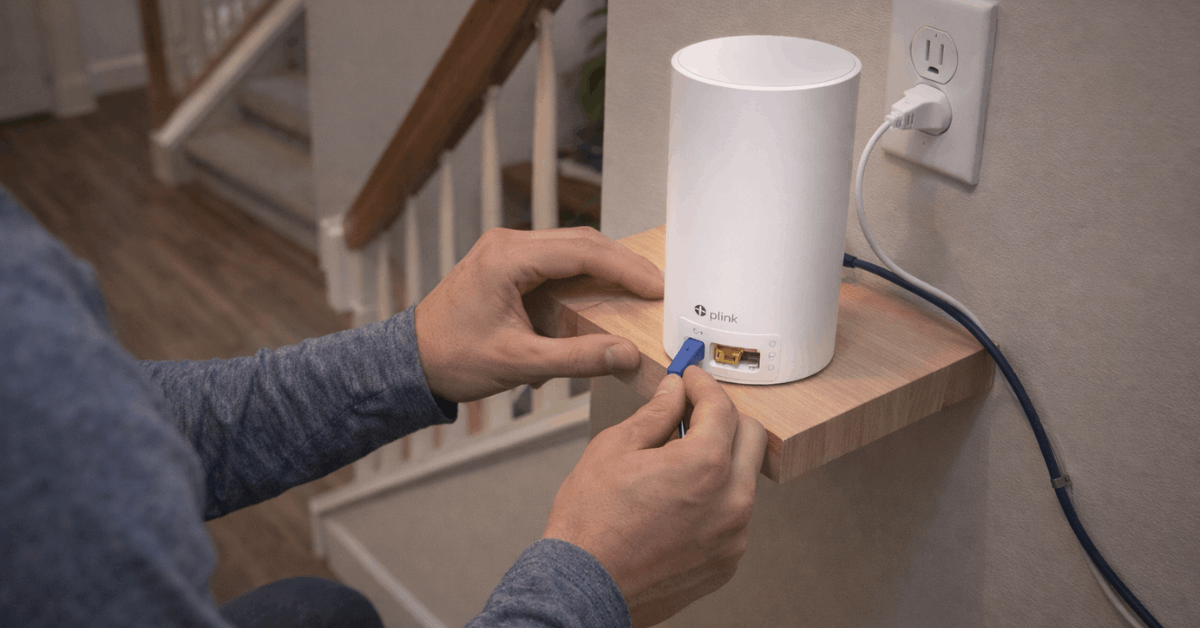
The Setup Premium I Would Not Pay
Standard advice says non-technical households should pay extra for eero because the app is simpler. My position: that advice no longer holds up, because Deco X55 scored 8.6 out of 10 for setup ease in aggregated hands-on ratings while eero scored 9.
A 0.4-point difference does not justify a fifty-dollar premium plus fewer ports.
Push back if you want. Some buyers will happily pay for eero’s compact hardware and forgiving app flow. My argument is only that ease of use stopped being a fifty-dollar feature once Deco’s guided setup got this polished.
How Fast Is Deco X55 Compared to Eero 6 in a Busy House?
Speed labels confuse more buyers than they help, so this section decodes them and then looks at what happens on a Tuesday evening when every device in the house wakes up hungry.
AX3000 vs AX1800: Reading Past the Marketing Number
Deco X55 sits in the AX3000 class, pairing a roughly 2402 Mbps 5 GHz radio with a 574 Mbps 2.4 GHz radio. Eero 6 ships as AX1800, while eero 6+ adds 160 MHz channels that open extra headroom when conditions cooperate.
No single laptop will ever see those combined numbers. The labels describe total capacity tiers, and capacity is exactly what gets tested when a dozen devices compete after dinner.
Evening Traffic, Wired Devices, and Real Throughput
During peak hours, Deco X55 tends to hold higher aggregate throughput thanks to stronger radios and those three ports per node. Wired TVs and gaming PCs stay off the air entirely, which leaves more wireless room for everything else.
Eero 6 targets steadiness instead of raw peaks, and it fits comfortably on internet plans at or below about 500 Mbps. Gigabit-class plans expose its limits faster. Eero 6+ narrows that gap in friendly radio conditions, though the port count still favors Deco for heavy mixed loads.
Mesh Wi-Fi Coverage Claims vs Your Actual Floor Plan
Square footage claims sell boxes, and real houses ignore them. Brick, mirrors, stairwells, and appliances eat signal in ways no open-plan test lab ever captures, so treat this section as your reality filter.
Do 6,500 Square Feet of Coverage Really Exist?
Manufacturer guidance puts a Deco X55 3-pack around 6,500 square feet and eero 6 family bundles near 4,500 square feet. Dense walls and long corridors compress those figures hard, especially when a node hides inside a cabinet.
Placement beats specs almost every time. A node sitting in the open, central to the devices it serves, will outperform a better-specced node buried behind a TV console.

Ethernet Backhaul: The Cheapest Upgrade You Can Make
Running a cable between nodes turns wireless hops into near-wired links, and that preserves 5 GHz airtime for your actual devices. Deco X55 treats Ethernet backhaul as a first-class feature, which stabilizes multi-floor homes and older builds with signal-hostile materials.
Eero supports wired backhaul too. The catch: common retail bundles sometimes pair one router with extender-style units that limit Ethernet flexibility.
Homes planning even one or two cable runs get more mileage from Deco’s port layout, and the official TP-Link Deco X55 page documents the backhaul setup in detail.
Apps, Parental Controls, and the Subscription Costs That Sneak Up
Hardware price is only chapter one of the cost efficiency story. Both platforms lock their deeper security and parental features behind recurring fees, and those fees compound quietly over two or three years of ownership.
HomeShield Pro vs Eero Secure Over Multiple Years
Deco ties advanced scans and category filtering to HomeShield Pro tiers. Eero includes a short eero Secure trial, then moves activity insights and deeper filters behind its own subscription, detailed on the official eero site.
Both apps cover the free basics well: device lists, guest Wi-Fi, profiles, and scheduled pauses. Budget the paid tier only if you know you will use category filtering or network scans, because skipping an unneeded subscription is the easiest saving in this entire comparison.
Daily Management and Who Each App Suits
Eero’s app minimizes decisions, which suits households where nobody wants to think about the router ever again. Deco’s app exposes band steering, DHCP reservations, and similar controls without forcing them on you.
I was surprised the aggregated value scores split as hard as they did: 8.8 for Deco X55 against 6.9 for eero 6, largely because of that bundle pricing gap. Setup ease went the other way, 9 for eero against 8.6 for Deco, which is the trade in one sentence.
Also Read: Product Comparison With Clear Takeaways
Which Mesh System Fits Your Home and Internet Plan?
Specs settle nothing until they meet your floor plan and your ISP bill. These scenarios map the common situations to the better-value pick, minus the marketing noise.
A quick scenario rundown makes the decision faster:
- Small apartment under 1,200 square feet: eero 6 or eero 6+ keeps setup painless and daily use calm.
- Family home with dead zones: Deco X55 adds reach, ports, and steadier performance under mixed loads.
- Gigabit plan power user: Deco X55 is the stronger interim pick, though neither system offers multi-gig WAN.
The core numbers side by side:
| Feature | Deco X55 | Eero 6 Family |
|---|---|---|
| Wi-Fi class | AX3000 dual-band | AX1800 on eero 6; 160 MHz channels on eero 6+ |
| Claimed 3-pack coverage | ~6,500 sq ft | ~4,500 sq ft |
| Gigabit ports per unit | 3 | 2 on routers; extenders vary |
| Ethernet backhaul | Yes, first-class | Yes, bundle-dependent |
| Typical 3-pack price | $149.99 | $199.99 |
Takeaway: Deco X55 delivers more radio class, coverage, and ports for less money, while eero charges a premium for polish.
Steps Worth Taking Before You Order Anything
A few checks protect you from buying the wrong tier entirely:
- Run a speed test during peak evening hours to confirm what your ISP plan really delivers.
- Walk every room and mark weak zones, then plan node spots that are open and central.
- Price a basic Ethernet run for backhaul wherever stairs or thick walls absorb signal.
- Order from a retailer with easy returns, then test coverage in your real rooms.
Skipping the peak-hour test is the mistake I see wrecking the math fastest. Buyers on 200 Mbps plans sometimes pay for AX3000 capacity their connection can never feed, which flips the value verdict back toward eero 6.
Placement discipline finishes the job. Keep nodes off the floor, away from metal cabinets, wire whatever sits near a node, and resist over-tuning settings unless a real problem shows up.
Questions People Ask About Eero 6+ vs TP-Link Deco X55
Q: Is the Deco X55 good enough for a gigabit internet plan? Yes, for now. Its AX3000 radios and three gigabit ports per node handle gigabit-class plans comfortably, though the missing multi-gig WAN port means it will not future-proof past that tier.
Q: Does eero 6+ work without a subscription? It does. Core routing, guest Wi-Fi, profiles, and scheduled pauses all run free, and eero Secure only becomes relevant if you want deeper content filters and activity insights.
Q: Can I mix Ethernet backhaul with wireless backhaul in the same mesh? Both systems allow it. Wiring even one distant node while the rest stay wireless often fixes the worst dead zone for the cost of a single cable.
Q: How many devices can these mesh systems handle at once? Capacity tiers matter more than exact device counts. Deco’s AX3000 class holds up better once dozens of devices compete in the evening, while eero 6 stays composed on lighter household loads.
Q: Should I put a mesh node inside a cabinet to hide it? Please do not. Cabinets, especially metal ones, choke antenna performance, and an exposed node in a central spot will beat a hidden node every time.
Conclusion
Deco X55 wins the cost efficiency fight for larger homes, gigabit plans, and rooms full of wired devices. Eero 6+ remains a fair pick for small apartments and households that want calm, hands-off network management.
Run a peak-hour speed test, map your dead zones, and price the subscriptions before spending anything. The right mesh system disappears into your routine, and that quiet reliability is worth every careful dollar.