The e-reader sitting on your nightstand for the next three years will shape your reading habits more than any book recommendation ever could. And Kindle Paperwhite vs Kobo Clara 2E is the fork in the road where that decision gets made.
Picking between these two comes down to something no spec sheet will tell you: where your books come from. Library borrower or store buyer? That single habit changes everything.
This Kindle Paperwhite vs Kobo Clara 2E breakdown skips the vague “both are great” conclusions. Stick around for a clear call based on real reading patterns, not marketing bullet points.
How the Kindle Paperwhite and Kobo Clara 2E Compare on Paper
Specs anchor expectations, so a quick side-by-side snapshot makes the rest of this comparison easier to follow. Both devices target readers who want a compact, waterproof e-reader with weeks of battery life and USB-C charging.
| Feature | Kindle Paperwhite (2024, 12th Gen) | Kobo Clara 2E |
|---|---|---|
| Display | 7-inch E Ink Carta 1300, 300 ppi | 6-inch E Ink Carta, 300 ppi |
| Weight | ~210 g | ~171 g |
| Storage | 16 GB | 16 GB |
| Audio | Bluetooth for Audible | Bluetooth for Kobo Audiobooks |
| Water rating | IPX8 | IPX8 |
| Ads at base price | Yes (lockscreen ads) | No |
| Charging | USB-C | USB-C |
The takeaway: Paperwhite wins on screen size and battery endurance, while Clara 2E wins on weight, ad-free defaults, and open file format support.
Kindle Paperwhite Design and Ergonomics
Paperwhite’s 7-inch panel means fewer page turns per chapter. That matters during long fiction sessions where constant tapping pulls you out of the story. The flush-front glass looks clean and wipes down easily.
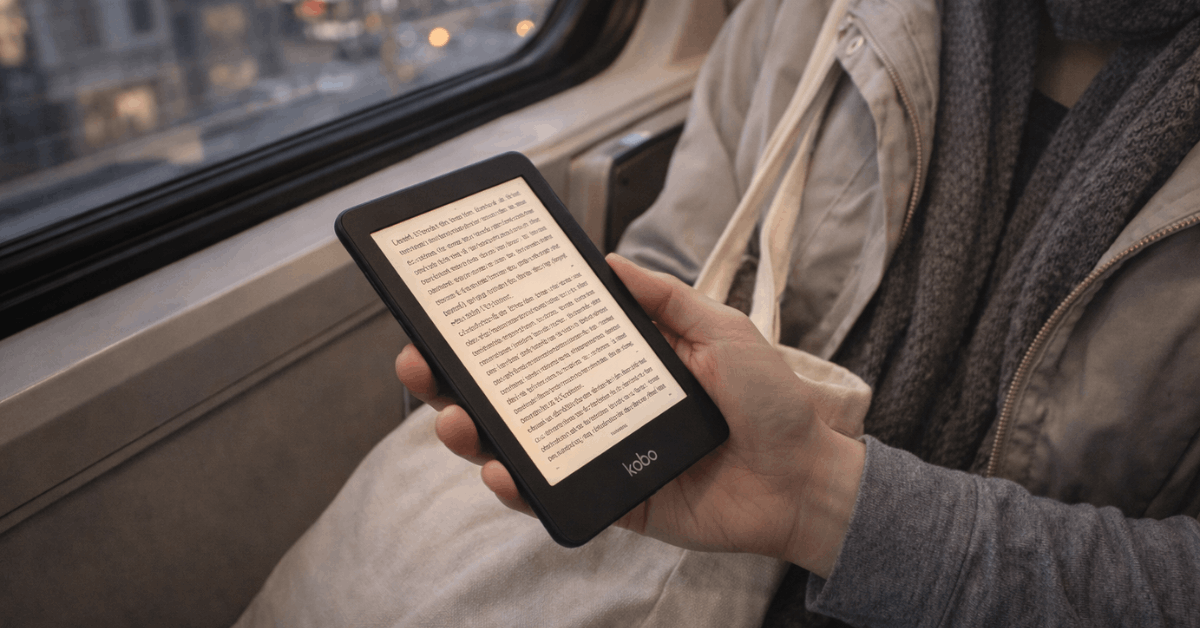
But those extra grams add up. At roughly 210 grams, the Paperwhite feels noticeably heavier during one-handed reading on a couch, bus, or bed. Readers with smaller hands will feel the width of the chassis after 30 to 40 minutes.
Kobo Clara 2E Design and Ergonomics
Clara 2E fits tighter grips. At 171 grams, it slides into jacket pockets and small bags without protest. The slightly recessed screen resists glare and gives fingertips a natural edge for swiping.
That smaller 6-inch display does mean more page turns. So the trade-off is real: lighter device, more tapping. For commuters and readers who move around a lot, the lighter frame tends to win out over screen real estate.
Reading Experience: Screen, Lighting, and Page Turns
Both devices nail the fundamentals of a good reading session. The divergence shows up in small details that compound over weeks of daily use.
Screen and Lighting Quality
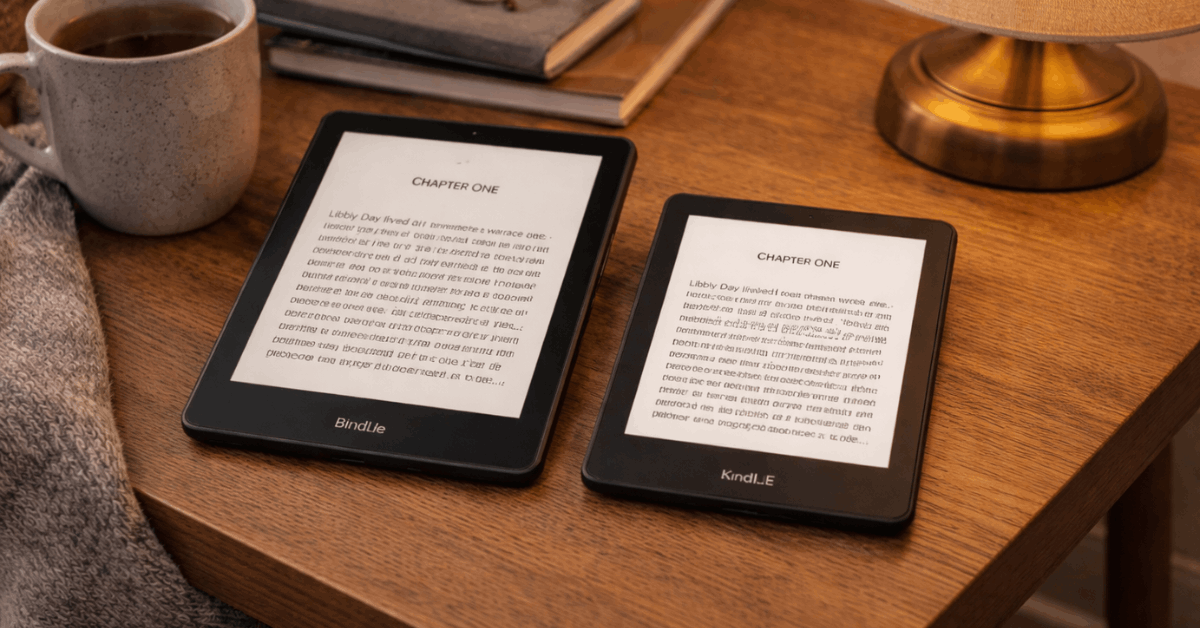
Paperwhite’s latest E Ink Carta 1300 panel produces even illumination at high brightness. The adjustable warm light control is granular enough to dial in comfortable night reading without the screen going orange.
Clara 2E’s ComfortLight PRO does the same job well. One thing I would point out about the Kobo Clara 2E: the 300 ppi pixels packed into a smaller 6-inch screen can appear slightly sharper at arm’s length because the pixel density per visual inch is functionally tighter.
Page Turn Speed and Touch Response
Kindle’s firmware is tuned for speed. Taps register a fraction faster, and page-turn animations finish cleanly. Does this matter during a normal reading session? Honestly, the difference is tiny once you settle into a book.
Speed-sensitive readers who flip rapidly through chapters will notice Paperwhite finishing page turns a hair quicker. Clara 2E keeps pace fine for linear fiction and non-illustrated nonfiction. Neither device will frustrate a casual reader.
On-Screen Progress and Reading Stats
The way each device shows reading progress feels different in practice. Kindle offers time-to-finish-chapter, time-to-finish-book, and classic page numbers for print-style parity.
Kobo leans into percent-read and chapter progress, which some readers find more motivating when pacing reading sessions across a week. Font families, margins, and line-height options run deep on both devices. Neither one skimps on typography customization.
File Formats and Library Borrowing: The Real Decision Point
This section is where the Kindle Paperwhite vs Kobo Clara 2E decision usually gets made. Hardware differences between these two are minor. File and library access differences are not.
EPUB vs AZW and What That Means for Your Library
Kobo opens EPUB files natively, including its own KEPUB variant. So ebooks purchased outside the Kobo store, downloaded from independent publishers, or exported from Calibre import without conversion steps.
Kindle centers on AZW format and Kindle-compatible EPUB delivery through Send to Kindle. Readers who live inside Amazon’s store will never notice a limitation. But longtime EPUB collectors who switch to Kindle will spend hours converting files.
Power users managing libraries through Calibre consistently report fewer conversion headaches on Kobo.
Public Library Borrowing Through OverDrive and Libby
OverDrive is built into Kobo. Browsing and borrowing happen directly on the device, then loans sync over Wi-Fi. No phone needed. No second app. The entire workflow stays on one screen.
Kindle handles library books through the Libby app on a phone or browser. After finding and borrowing a title, a single tap sends the book to the registered Kindle. The system works reliably, but that extra step creates friction when sampling titles, checking holds, or browsing during a quick couch session.
I think the Kobo Clara 2E is the better long-term pick for heavy library borrowers, specifically because OverDrive’s on-device integration removes one entire step from every single borrow.
Over a year of weekly library use, that friction gap compounds into a real behavior difference. Kindle’s Libby workflow is fine. Kobo’s is invisible. And invisible is better.
Also Read: Eero 6+ vs TP-Link Deco X55: Product Comparison Based on Cost Efficiency
Kindle Unlimited vs Kobo Plus: Subscription Math
Subscription value depends entirely on what kind of reader sits behind the screen.
Kindle Unlimited has a larger catalog with magazine and audiobook extras, capped at a set number of concurrent borrows. Heavy series readers who burn through 4 to 6 books a month in KU’s catalog will get serious value here.
Kobo Plus counters with lower monthly pricing and no cap on simultaneous titles, although the total book count is smaller as of mid-2026.
Eclectic readers who mix store purchases, EPUBs, and library loans tend to lean toward Kobo because the subscription complements those habits rather than competing with them.
The overlooked angle: if you already borrow 3 or more books monthly from a public library, a subscription service might duplicate what you already get for free. Check your library’s digital catalog before committing to either monthly plan.
Battery Life, Sustainability, and the Ad Question
These three topics rarely appear together in comparison articles, but they all affect daily ownership satisfaction in ways that specs alone miss.
Battery Endurance
Paperwhite claims up to 12 weeks of battery life under light daily reading with wireless off and moderate lighting. Clara 2E lands around up to 6 weeks with similar assumptions.
Realistically, Paperwhite stretches further between charges. Clara’s smaller battery keeps device weight down, which is the trade-off Kobo made deliberately. Both use USB-C, and both support Bluetooth headphones for audiobooks during travel.
Recycled Materials and Repairability
Kobo builds the Clara 2E exterior from 85% recycled plastic, including a portion of ocean-bound plastic. The 2E line supports a repair-forward approach with documented take-back options in certain regions.
Kindle Paperwhite uses recycled content too, including recycled magnesium in the internal frame and recycled plastics in the enclosure. Trade-in paths exist through Amazon, typically resulting in refurbishment or recycling.
Shoppers who prioritize recycled materials and repairability will find Kobo’s position stronger right now. Buyers who value a longer replacement cycle might consider Paperwhite’s longer battery as an indirect benefit, since fewer charge cycles mean slower battery degradation.
Lockscreen Ads and Storefront Nudges
Kindle ships ad-supported at the base price unless you pay extra to remove lockscreen ads. Home screens frequently promote Kindle Unlimited offers.
This is the part most comparison articles gloss over: that “lower price” on Kindle often means living with ads unless you spend more to remove them, which closes the price gap with Kobo.
Clara 2E arrives ad-free and puts the library view front and center. No subscription prompts on the home screen. No sponsored screensavers. Readers who want fewer interruptions between putting the device down and picking it back up will appreciate Kobo’s quieter defaults.
The full Kindle Paperwhite lineup and ad-removal pricing details are on Amazon’s Kindle Paperwhite page. Clara 2E specs and recycled material details are on Kobo’s official Clara 2E page.
Who Should Pick Which E-Reader
A quick decision framework based on reading habits, not brand loyalty:
- Pick Kindle Paperwhite if battery endurance matters most, if Amazon is already where all your books live, and if a 7-inch screen for fewer page turns appeals to you
- Pick Kobo Clara 2E if public library borrowing is a weekly habit, if EPUB files fill your hard drive, and if a lighter frame for one-handed reading sounds right
- Skip both and look at color models (Kobo Clara Colour or Kindle Colorsoft) only if comics, textbooks, or color-coded highlights are central to how you read
- Stay within whichever ecosystem your household already uses to share book recommendations, because switching platforms mid-family creates unnecessary friction
Questions People Ask About Kindle Paperwhite vs Kobo Clara 2E
Q: Can I read Kindle books on a Kobo or Kobo books on a Kindle? Not directly. Kindle uses AZW format and Kobo uses EPUB/KEPUB. Calibre can convert files between formats, but DRM-protected purchases from either store remain locked to their respective platforms.
Q: Is Kobo Clara 2E waterproof enough for bath or pool reading? Both the Clara 2E and Kindle Paperwhite carry an IPX8 waterproof rating. That means submersion in fresh water up to a certain depth for a limited time. Chlorine and salt water are different stories, so rinse the device off afterward.
Q: Does removing Kindle lockscreen ads cost extra every month? No, it is a one-time fee. Amazon typically charges a flat amount to remove ads permanently from a specific Kindle device. The exact price can vary by region and promotion, so check your account settings.
Q: Can I borrow library books on Kindle without a phone? Technically yes, through a web browser on a computer. But the standard workflow uses the Libby app on a phone or tablet to send borrowed titles to the Kindle. Kobo’s OverDrive integration handles everything on-device without a second screen.
Q: Which e-reader has better font and typography options? Both offer deep font customization, including font family, size, margins, line spacing, and boldness. Kobo adds a few extra typographic tweaks like font sharpness controls. The differences are minor, and neither device will leave typography-conscious readers frustrated.
Conclusion
Kindle Paperwhite wins the spec race on screen size and battery life, two things that matter daily. Kobo Clara 2E wins on file openness, library access, and an ad-free experience out of the box.
The device that matches where your books come from will always feel like the smarter purchase. So figure out that one question first, and the rest of this decision answers itself.