A laptop that runs fine on a coffee shop table for two hours can feel completely different after eight hours at a home desk. The distinction matters when the machine becomes your full-time office.
That gap between “great laptop” and “great WFH laptop” is where the MacBook Air M4 and Dell XPS 14 (2026) comparison gets interesting. Both are premium ultraportables. Both get strong reviews. But they solve different problems.
If your remote setup has been built around an aging laptop and a growing pile of USB adapters, these two machines deserve a closer look. The work-from-home laptop decision comes down to which trade-offs match your specific desk life.
So which one earns its spot on your home office desk for the next three to four years? That depends on how you spend those eight-hour days.
MacBook Air M4 vs Dell XPS 14 Specs That Matter at a Desk
The spec sheets on these two laptops tell part of the story, but WFH-specific details get buried under benchmark scores and portability stats that matter more on the road.
The things that affect your daily comfort: screen refresh rate, webcam resolution, speaker quality, typing feel, and port count. Those are the specs that separate a good laptop from a good desk machine.
Display: 60Hz LCD vs 120Hz OLED
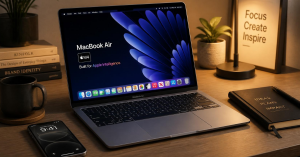
The MacBook Air M4 has a 13.6-inch Liquid Retina display running at 60Hz with 500 nits of peak brightness. Colors look accurate. Text is sharp. But scrolling through long documents or Slack threads feels slightly less fluid compared to higher-refresh panels.
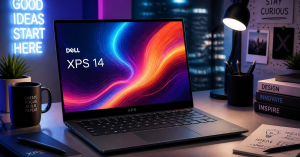
The Dell XPS 14 offers a 14-inch 2.8K Tandem OLED touchscreen at 120Hz on the higher-tier model. Blacks are true blacks. HDR content looks stunning. And that 120Hz refresh rate makes everything from browser scrolling to dragging files across folders feel smoother during long sessions.
I think the MacBook Air’s 60Hz panel is its biggest weakness for all-day desk work, and the fact that Apple still ships it in 2026 on a $999 laptop is baffling.
The Dell’s 120Hz OLED reduces the visual fatigue that builds across a full workday. If your job involves reading and scrolling for hours, that smoothness compounds over weeks and months.
Webcam and Microphone Quality
The MacBook Air M4 has a 12MP camera with Apple’s Center Stage feature, which auto-tracks your position during video calls. The three-microphone array handles background noise well. Colleagues can hear you clearly even in noisier rooms. The image processing keeps skin tones looking natural without the over-sharpened look some Windows laptops produce.
The Dell XPS 14 upgraded to an 8MP/4K webcam for 2026. The image clarity on video calls is sharp and color-accurate, and the dual-microphone setup manages background noise well.
Low-light performance is decent but gets slightly noisy in dim rooms. Dell still skips a physical privacy shutter, relying on a software kill switch instead.
Both webcams are strong. But here is something no comparison article mentions: the MacBook’s Center Stage feature can be distracting.
It pans and zooms with minor movements, which some colleagues find visually jittery on their end. I would turn Center Stage off for professional calls and leave it on for casual ones.
Keyboard Comfort for 8-Hour Typing Days
This is where the comparison splits hard. The MacBook Air’s keyboard has roughly 1mm of travel with scissor switches. Reviewers consistently call it one of the best laptop keyboards on the market. Long typing sessions feel comfortable, and the key spacing reduces errors.
The Dell XPS 14’s keyboard uses a lattice-free, zero-gap design with only 0.8mm of travel. The backlighting looks clean and the actuation feels snappy.
But multiple reviewers report more typing mistakes during longer sessions because the spacing between keys runs slightly tight. Muscle memory takes time to adjust.
For someone typing documents, emails, and Slack messages for a full workday, keyboard feel is not a minor detail. It is the single most used input on your laptop. The MacBook wins this category by a wide margin.
| Feature | MacBook Air M4 | Dell XPS 14 (2026) |
|---|---|---|
| Starting Price | $999 | $1,350 (LCD) / ~$2,200 (OLED) |
| Display | 13.6″ LCD, 60Hz, 500 nits | 14″ 2.8K OLED, 120Hz, touchscreen |
| Webcam | 12MP + Center Stage | 8MP / 4K |
| Battery Life | ~18 hours | ~15-16 hrs (OLED) / 20+ hrs (LCD) |
| Ports | 2x USB-C/Thunderbolt + MagSafe | 3x Thunderbolt 4 + headphone jack |
| Weight | 2.7 lbs | ~3.0 lbs |
| Fan Noise | Fanless (silent) | Quiet under normal load, audible under heavy tasks |
| Keyboard Travel | ~1.0mm | 0.8mm |
| Speakers | 4-speaker system | 10W quad speaker + Dolby Atmos |
The MacBook Air costs $351 to $1,200 less depending on the Dell configuration, which makes the value gap hard to ignore for buyers on a budget.
Also Read: Product Comparison for Practical Buyers
Noise, Heat, and Daily Comfort at a Home Office Desk
Spec comparisons skip over the sensory experience of sitting next to a laptop for a full shift. Noise and heat matter more in a quiet home office than they do in a busy coworking space.
Fan Noise During Zoom Calls and Focused Work
The MacBook Air M4 is completely fanless. Zero noise. During video calls, document editing, and even light photo work, the machine stays silent. This is a serious advantage for anyone who records audio, takes calls in quiet rooms, or just gets distracted by fan whir.
The Dell XPS 14 has fans that stay mostly quiet during everyday tasks like browsing, email, and video calls. But push it harder with multi-tab workflows or heavier apps, and fan noise climbs to around 44-46 dB in performance mode.
That is not loud, but it is noticeable in a silent room. Switching to a quieter thermal profile reduces the noise at the cost of some performance.
Heat During Extended Sessions
The MacBook Air stays cool under normal work. The palm rest sits around 28-30°C during writing and browsing. Heavier tasks like video export push the keyboard area to around 35-38°C, which is warm but manageable on a desk. On your lap during intense work, you will feel it.
The Dell XPS 14 hits around 91.5°F (roughly 33°C) on the keyboard during stress testing, with the bottom reaching 104.5°F (about 40°C). During normal desk work, the heat is barely noticeable. But extended creative tasks or large downloads can warm up the palm rest area.
Both laptops manage heat well enough for WFH. The MacBook’s fanless design means the heat is the trade-off for silence. The Dell’s fans mean slightly lower surface temperatures under sustained load, but at the cost of some noise.
Ports, Peripherals, and Real Desk Setups
Here is a detail that gets glossed over in portable-first reviews: port count matters more when a laptop lives on a desk. A road warrior might tolerate dongles. A full-time remote worker should not have to.
The MacBook Air M4 ships with only two USB-C/Thunderbolt ports and one MagSafe. Plug in a monitor and a USB hub, and you have used both data ports. Adding a wired mouse, external keyboard, or audio interface means buying a dock or adapter. That $999 price tag quietly grows.
The Dell XPS 14 has three Thunderbolt 4 ports plus a headphone jack. Three data ports may not sound like much more than two, but that extra port changes daily logistics. A monitor, a hub, and a direct peripheral connection can all run without stacking adapters.
Neither laptop has USB-A, HDMI, or an SD card slot. Both assume a dongle-friendly life. But the Dell’s extra Thunderbolt port gives it a small but meaningful edge for desk-bound setups where peripherals stay plugged in all day.
Battery Life: Does It Even Matter for WFH?
Every comparison puts battery life front and center. And yes, the MacBook Air M4 lasts around 18 hours of mixed use, while the Dell XPS 14 gets roughly 15-16 hours with the OLED panel and over 20 hours with the LCD model.
But think about this: if your laptop sits on a desk plugged into a charger for most of the workday, battery life is not the differentiator it appears to be. The MacBook’s legendary battery becomes a safety net for occasional couch sessions or power outages. Not a daily advantage.
I think battery life is the single most overvalued spec in WFH laptop comparisons. A $999 MacBook Air with 18-hour battery and a $2,200 Dell XPS 14 with 16-hour battery are functionally identical when both are tethered to a charger eight hours a day.
The money gap should hinge on display, keyboard, webcam, and speaker quality instead.
That said, if your “work from home” sometimes means working from a café, an airport lounge, or a backyard, the MacBook’s endurance gives you more freedom to roam.
Who Should Pick Which Laptop
The best WFH laptop depends on what fills your typical workday. These two machines cater to different routines.
The MacBook Air M4 suits remote workers who prioritize:
- Silent operation during calls and recordings
- A proven, comfortable keyboard for all-day typing
- Apple ecosystem features like AirDrop, Handoff, and iMessage on desktop
- A lower entry price at $999 for 16GB RAM and 256GB storage
The Dell XPS 14 suits remote workers who need:
- A 120Hz OLED touchscreen for reduced eye strain during long screen days
- A sharper 4K webcam for client-facing video calls
- Three Thunderbolt 4 ports for a multi-peripheral desk setup
- Windows-specific software compatibility or enterprise IT requirements
The MacBook is the safer pick. The Dell is the more interesting one. Both will last three to four years of daily WFH use without breaking a sweat.
Questions People Ask About MacBook Air vs Dell XPS 14 for Work From Home
Q: Is the MacBook Air M4 or Dell XPS 14 better for Zoom calls? Both perform well on Zoom. The Dell’s 4K webcam produces slightly sharper video, and its 10W quad speakers sound fuller for calls without headphones. The MacBook’s three-mic array handles noisy environments better, so it depends on whether you prioritize how you look or how you sound.
Q: Can the Dell XPS 14 run all day without charging? The LCD model can last over 20 hours on lighter tasks, which is enough for a full workday unplugged. The OLED version drains faster at 15-16 hours but still covers a standard 8-hour shift with room to spare. Keep in mind the OLED panel draws more power, so your mileage varies based on screen brightness and workload.
Q: Is the MacBook Air M4 60Hz screen a problem for office work? It depends on the type of work. For document editing and email, 60Hz is perfectly fine. For heavy scrolling through Slack, spreadsheets, or design files, the difference between 60Hz and 120Hz becomes noticeable over a full day. It is not a dealbreaker, but once you use 120Hz daily, going back to 60Hz feels sluggish.
Q: Does the Dell XPS 14 keyboard improve with use? Some reviewers say muscle memory adjusts within a week or two. The 0.8mm travel and tight key spacing do become less jarring with practice. But if your current laptop has a more traditional keyboard with deeper travel, the transition period can include more typos and slower output at first.
Q: Which laptop holds its resale value better after three years? MacBooks consistently retain more resale value than Windows laptops. A three-year-old MacBook Air typically sells for 50-60% of its original price, while most Windows ultraportables drop to 30-40%. If upgrade cycles matter to your budget, the MacBook’s resale strength partially offsets its competitors’ spec advantages.
Conclusion
The MacBook Air M4 remains the default recommendation for remote workers who want reliability at a fair price. The Dell XPS 14 earns its premium for those who value display quality and webcam sharpness above everything else.
Battery life matters less than you think when your desk has an outlet two feet away. Pick the keyboard and screen your eyes and fingers prefer, because those are the specs you will feel every single day.